Tasks
-
Jobwatch is the mobile counterpart of BigChange. It replaces manual planning and paperwork, providing a simple and efficient way to keep your office in total sync with your mobile teams. The app is mostly used by engineers and employees within the business.
Worksheets are the groups of questions that you can attach to a job and represent a paperless alternative to the documentation more traditionally used by mobile workers. Questions in the worksheets are presented as tasks in the JobWatch app for engineers to complete before and/or after certain jobs.
Most common worksheets include risk assessments and vehicle checks.
-
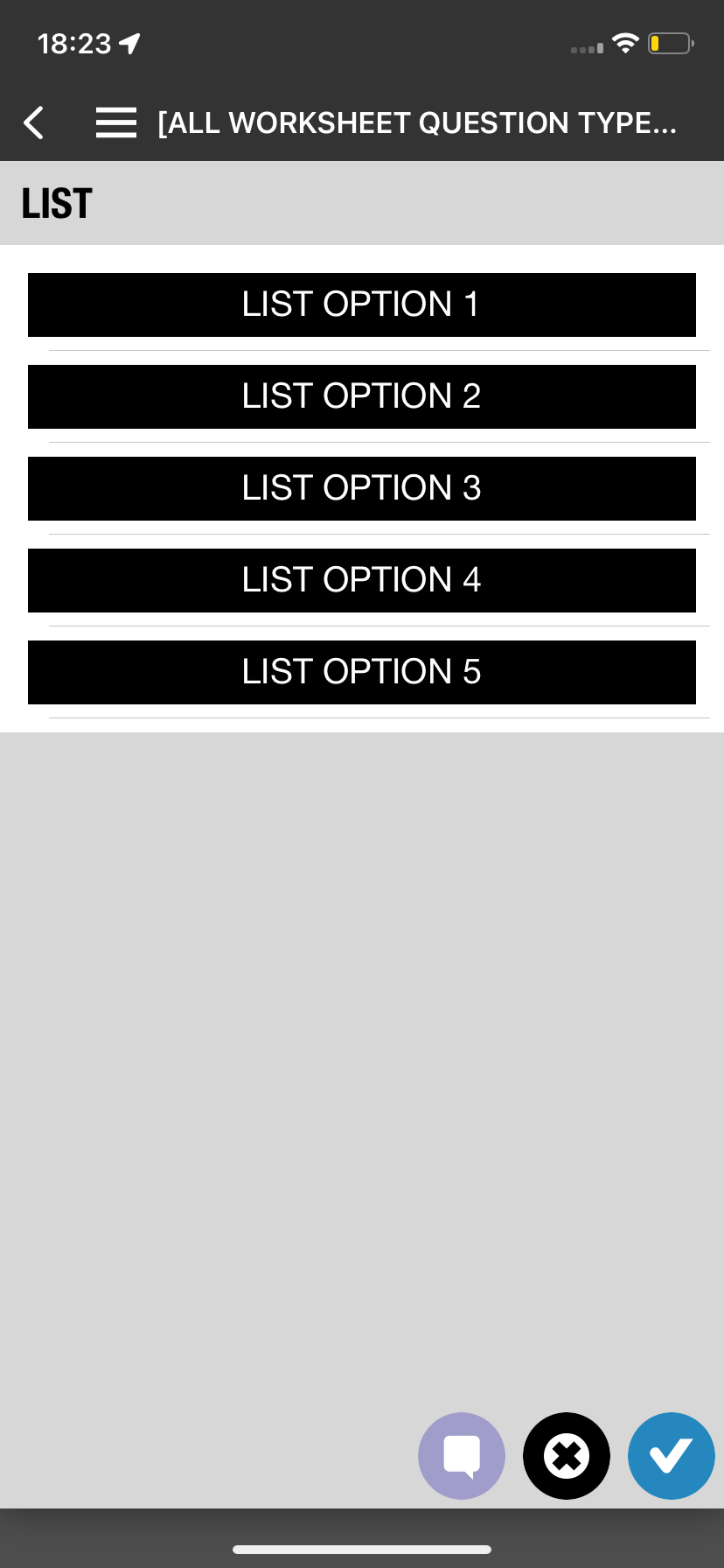
The tasks section of the JobWatch mobile app is poorly designed. It is filled with unclear and unintuitive icons that makes it near impossible for new users to be able to use effectively. This causes the users to have to go through trial and error process in order to be able to achieve their goals. This is a major pain point as the main users of the tasks sections are the engineers and plumbers who are not necessarily tech savy people.
Our goal is make the process of completing tasks as streamlined as possible. We want to reduce the amount of possible errors as well as reducing the amount of time engineers needing to spend on the app instead of actually doing the job.

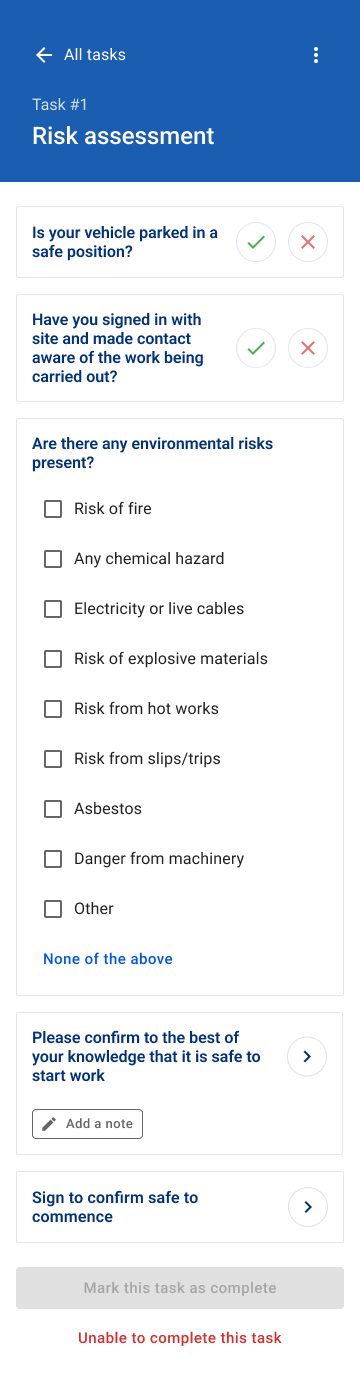

Discovery phase
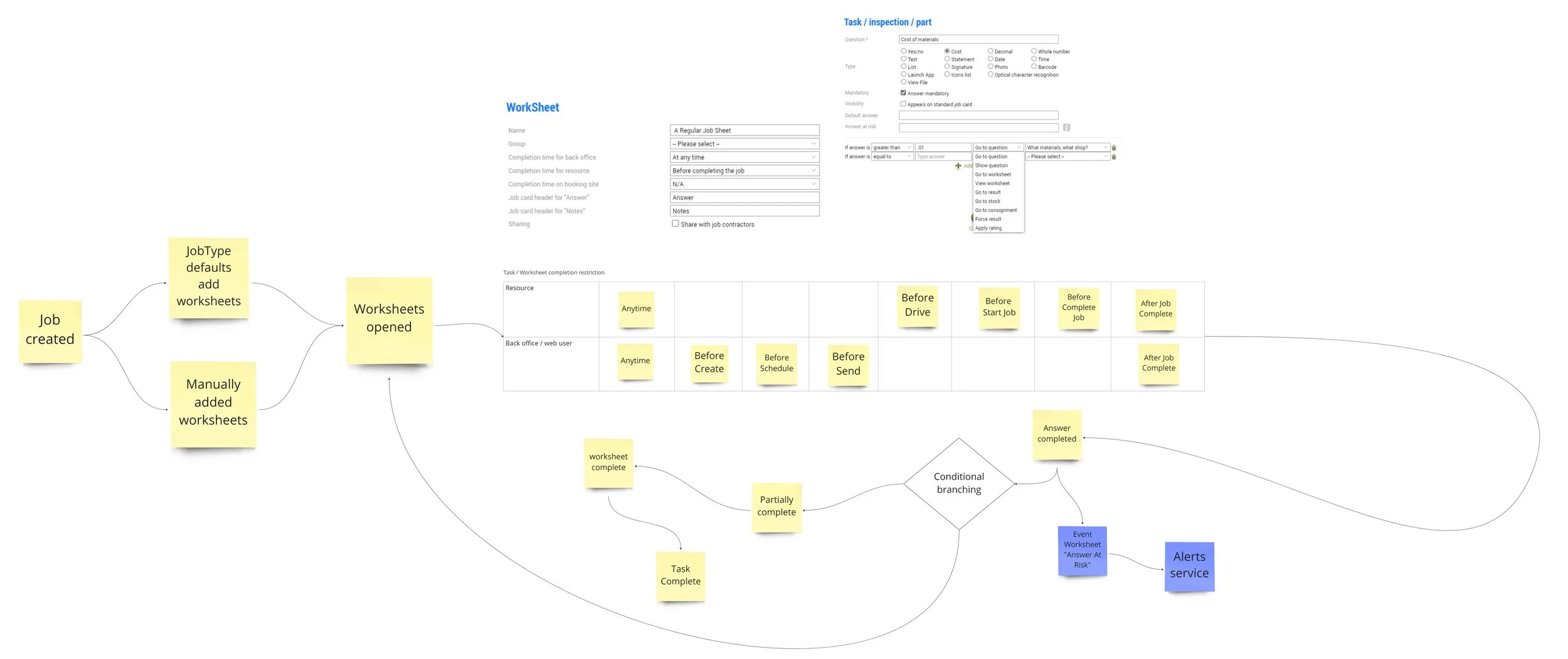
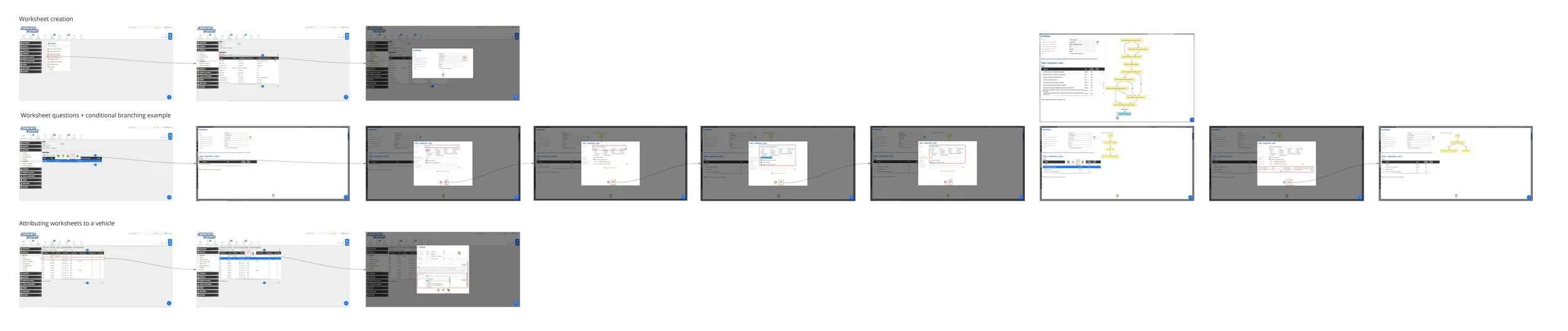
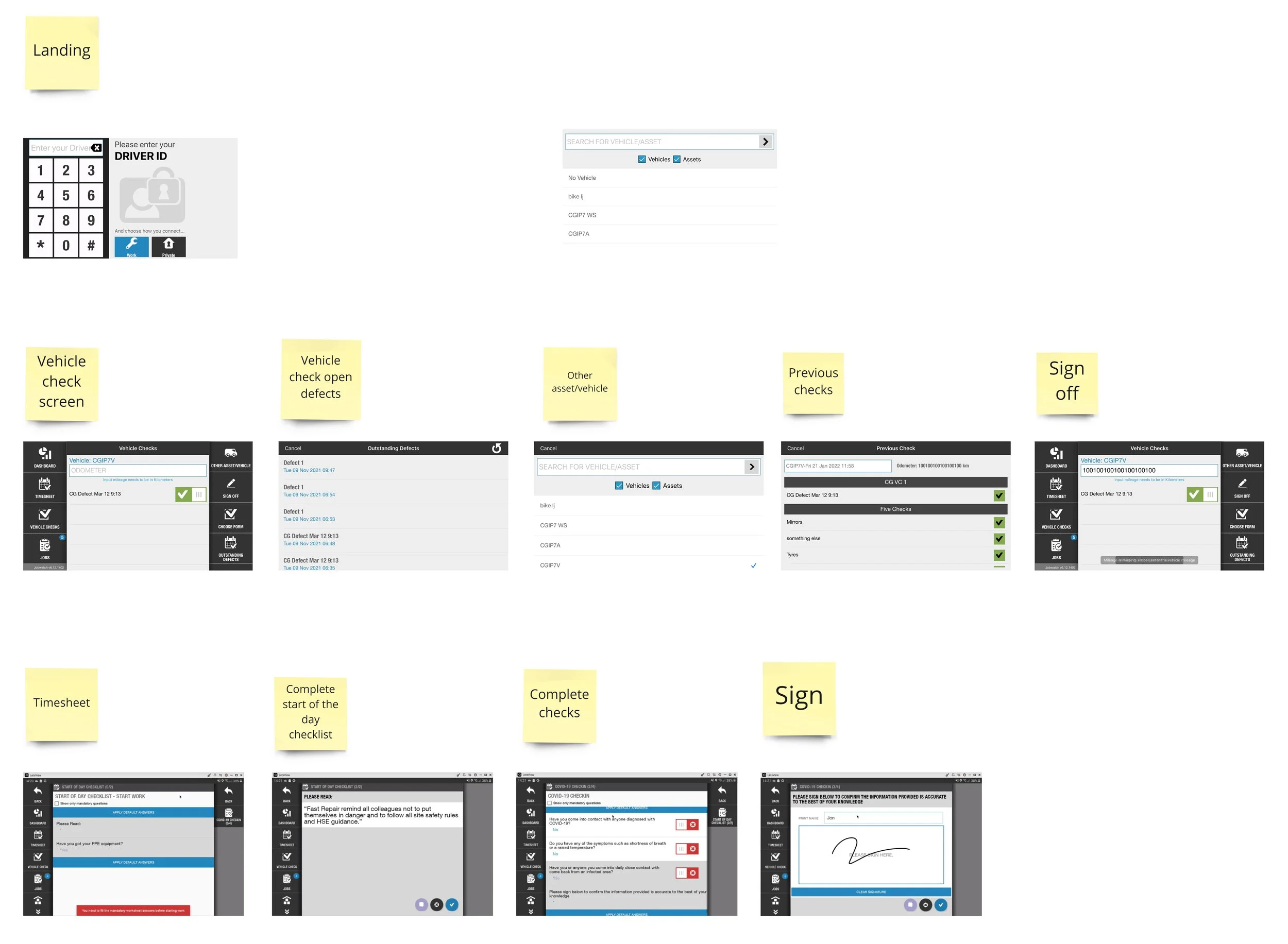
Understanding how worksheets and tasks work
Speaking to Product Managers to understand the current pain points and gaps in functionality.
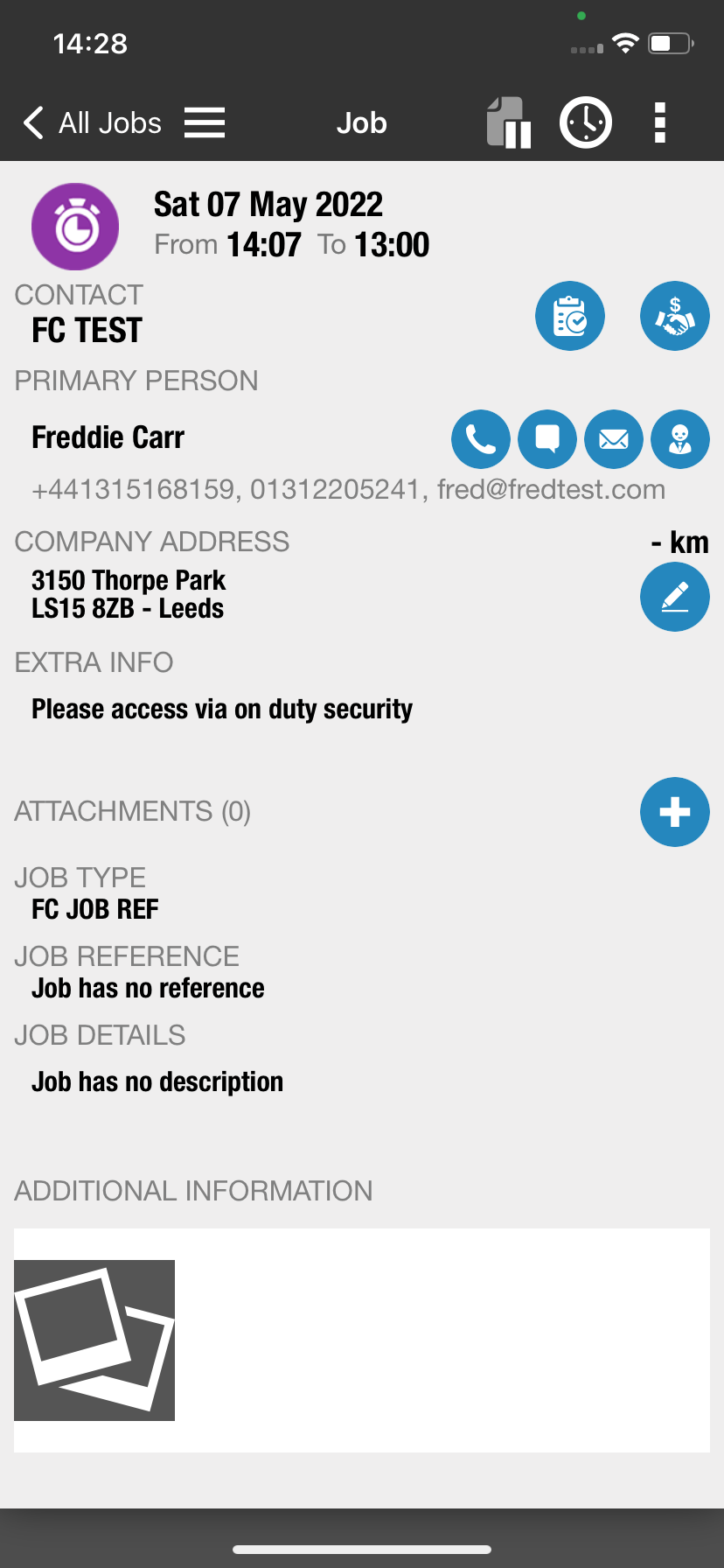
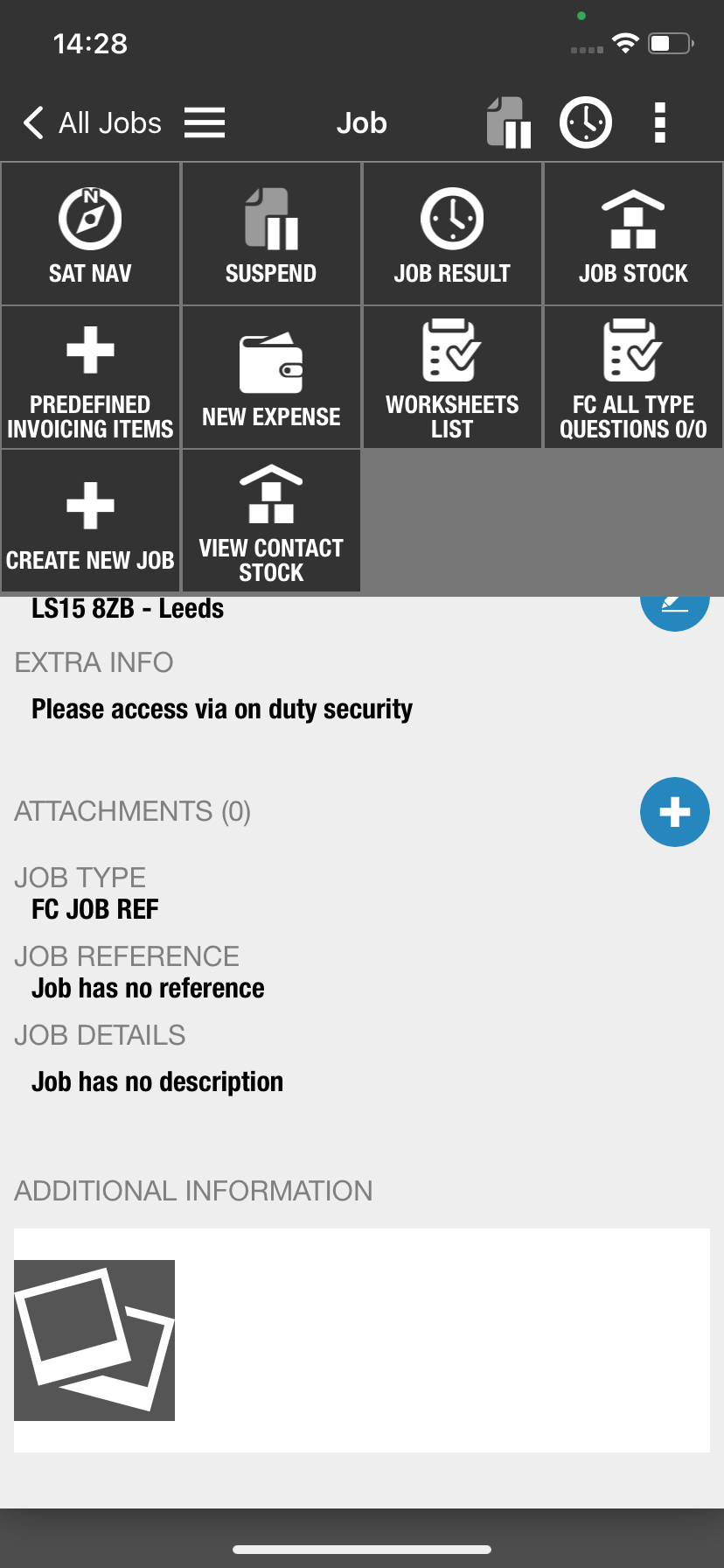
Confusing user interfance. Unintuitive as there is no clear call to action in order to complete next steps.
Too many icons that do not have a clear call to action.
No clear progression when completing tasks within a worksheet.
Ideation
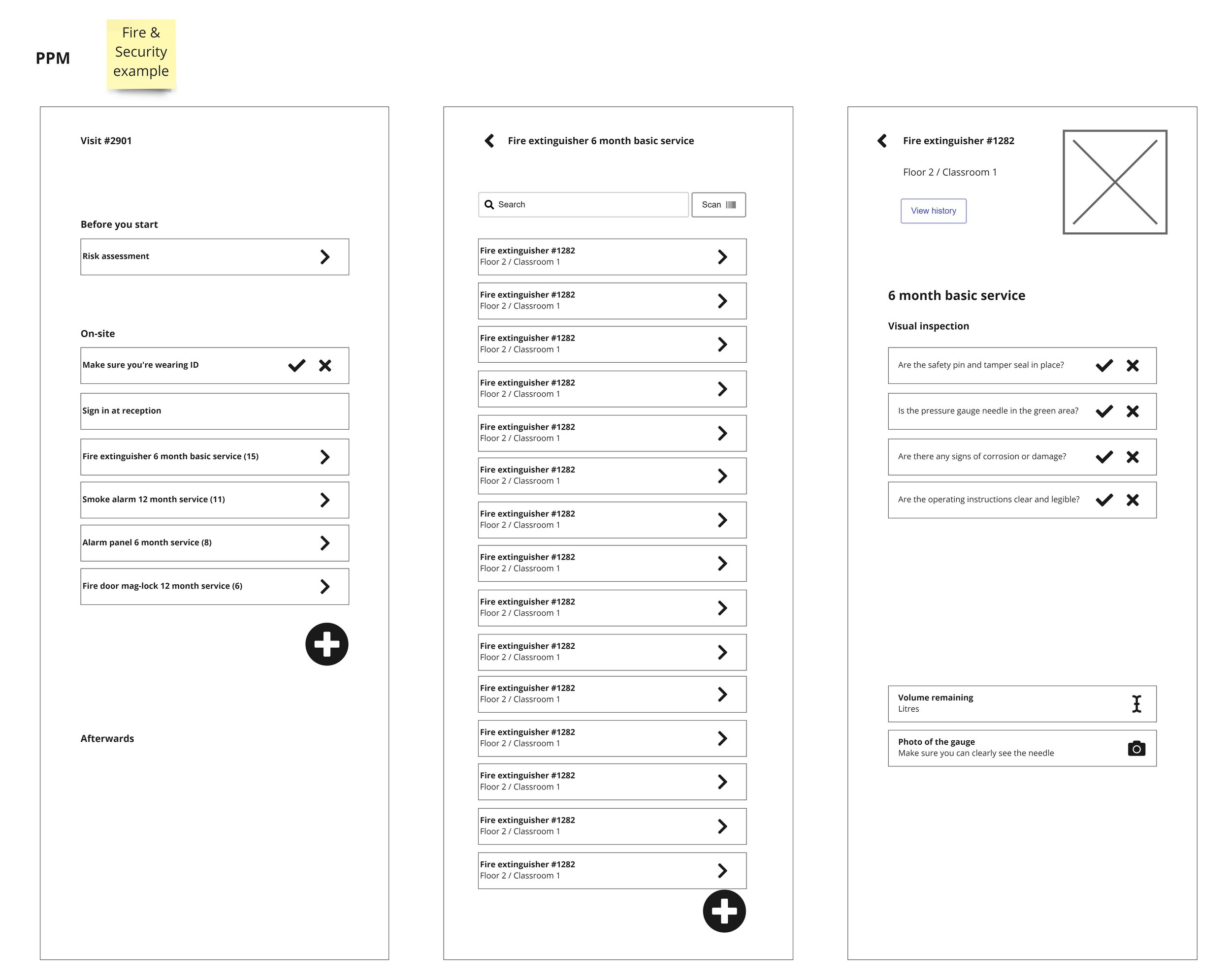
Visualising how we can streamline tasks and make it simple for engineers.
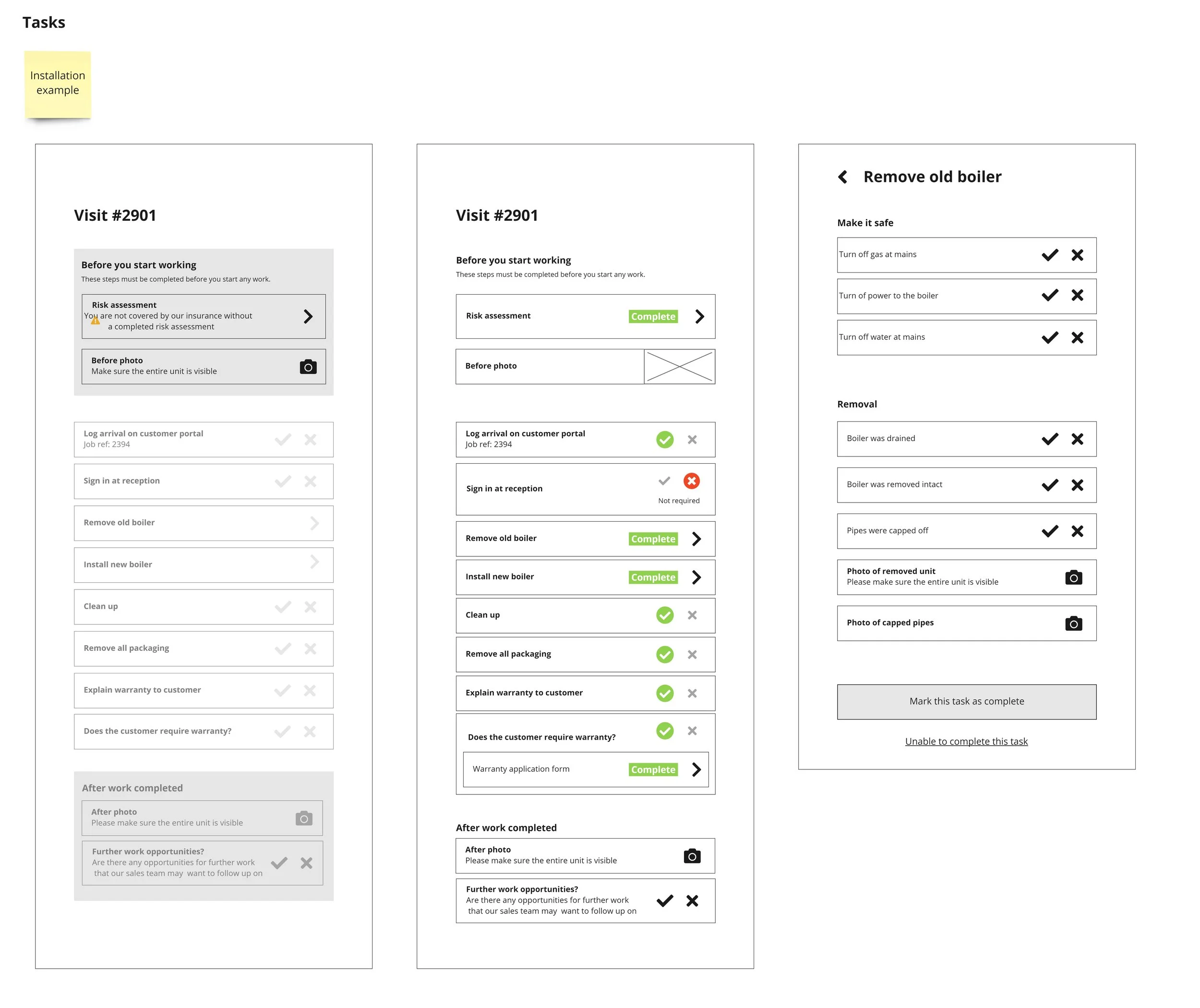
Creating a clear step by step progression as users complete individual tasks within a worksheet.
Easy to understand icons with a clear call to action.
Status and progress of worksheets to help users understand if they have missed any tasks within a worksheet
Developing the design
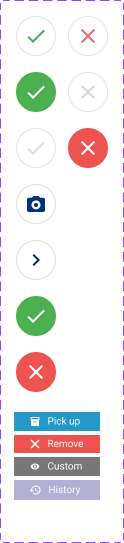
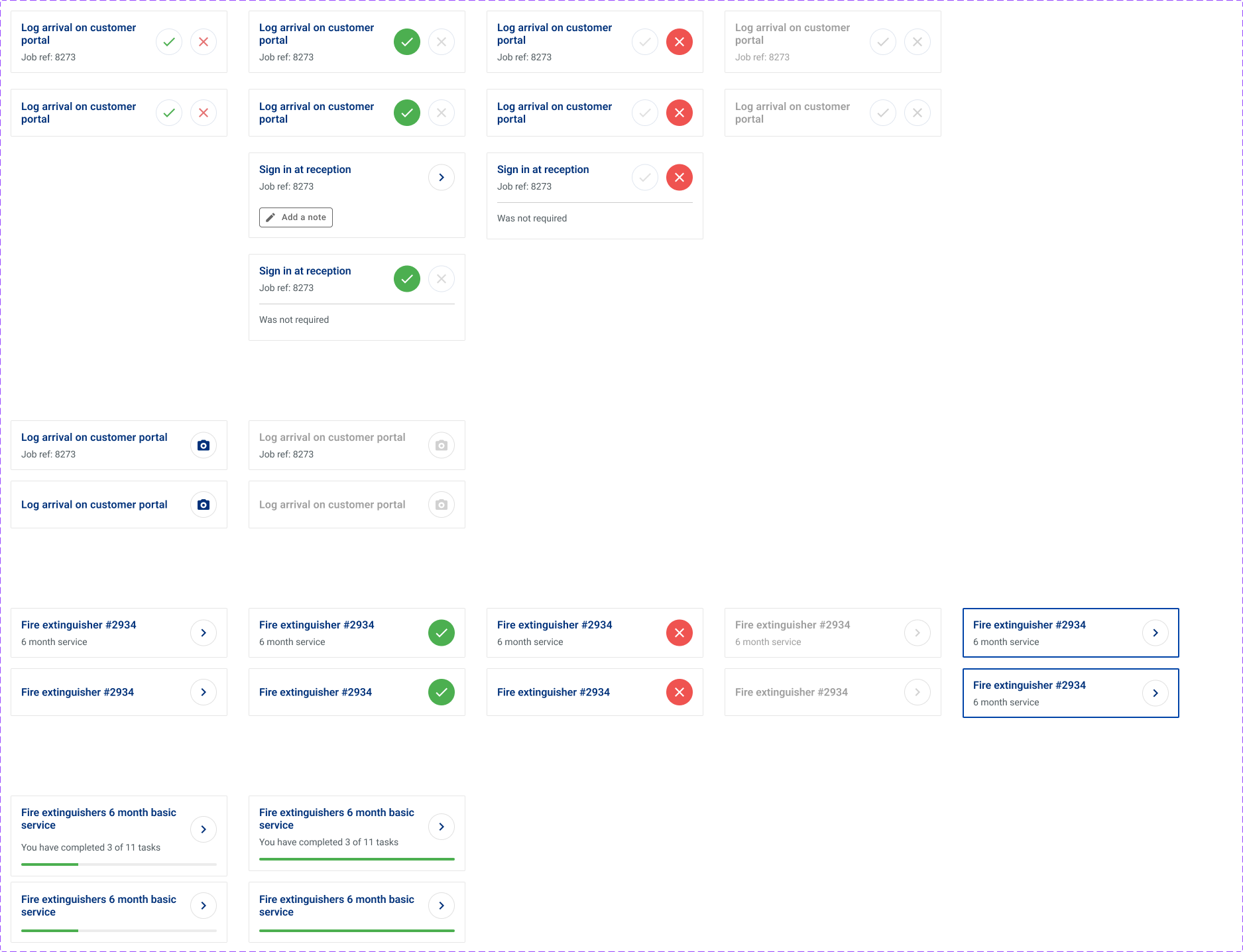
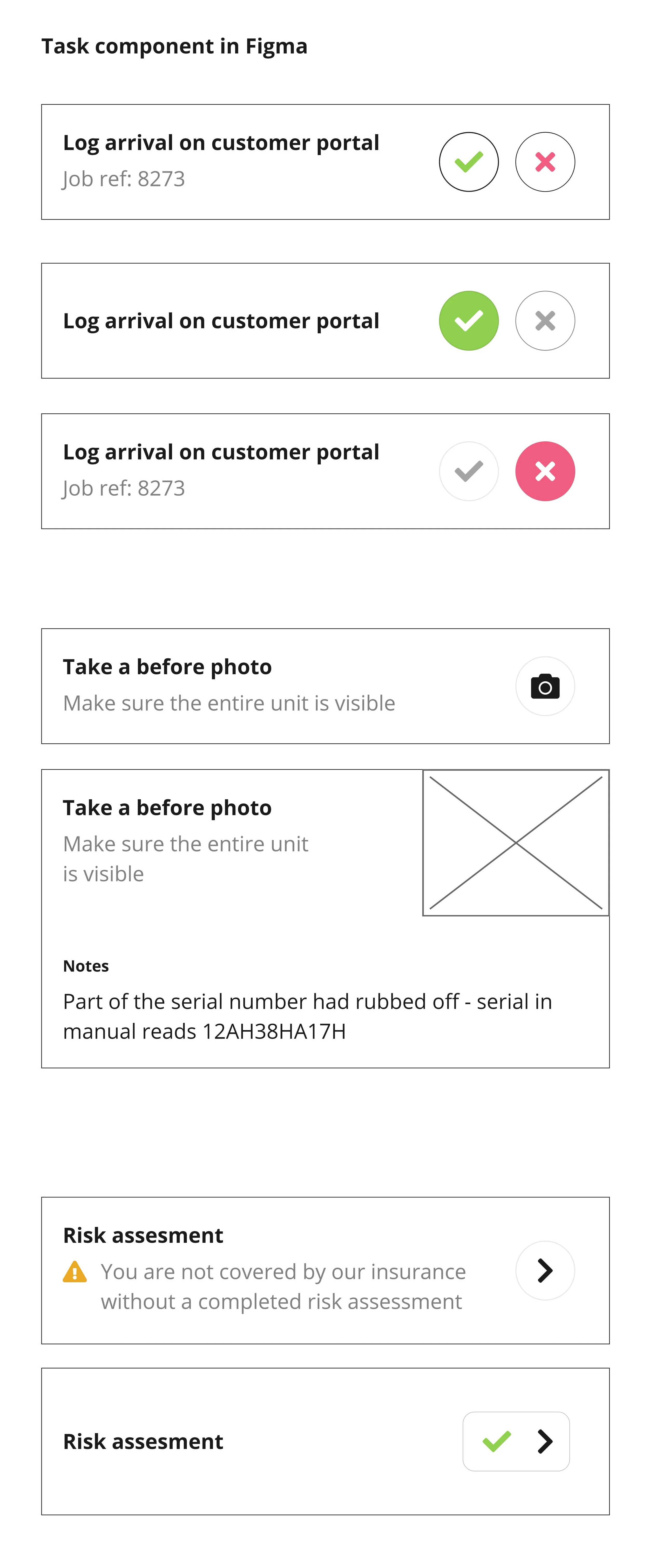
Utilised MUI design system components in order to streamline to proccess for both designers and developers.
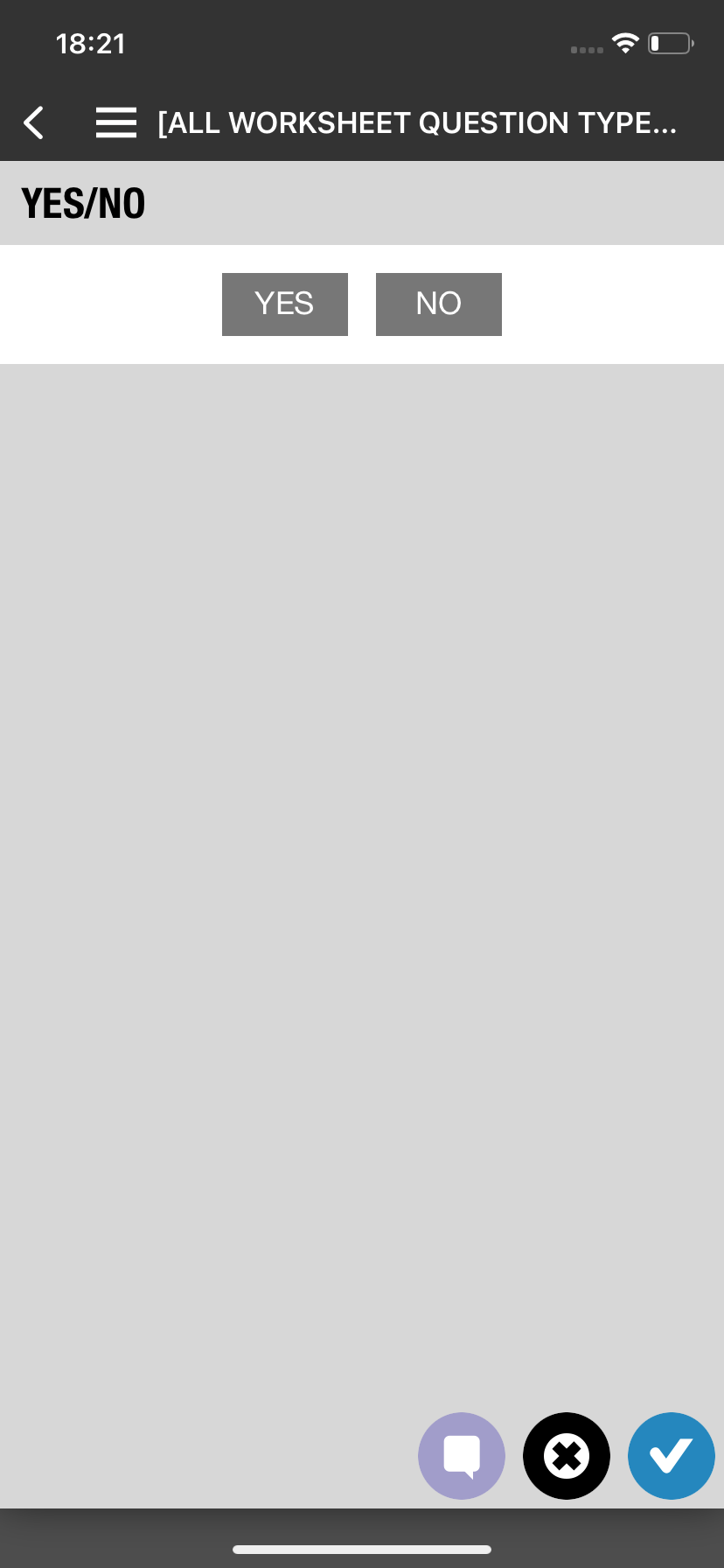
Created different types of job cards for specific tasks e.g. Yes/No questions, lists, text answers, etc.
Clear usuage of iconography with easy to understand call to action.
Clean UI with clear indication of next steps and progress for users. This is done by highlighting the next task for users to do and greying out tasks that cant be completed before doing the highlighted task. Furthermore, each specific tasks include supporting coppies to further explain to users the call to action.


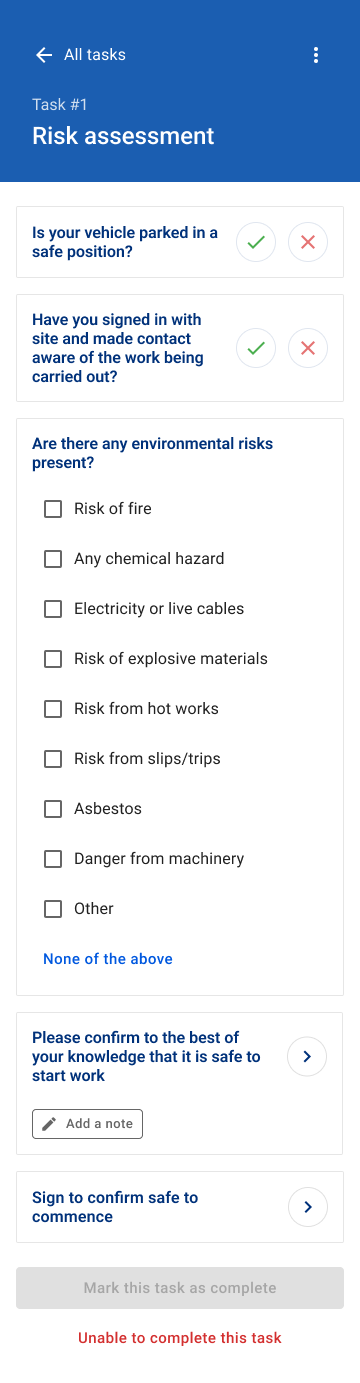
Finishing touches
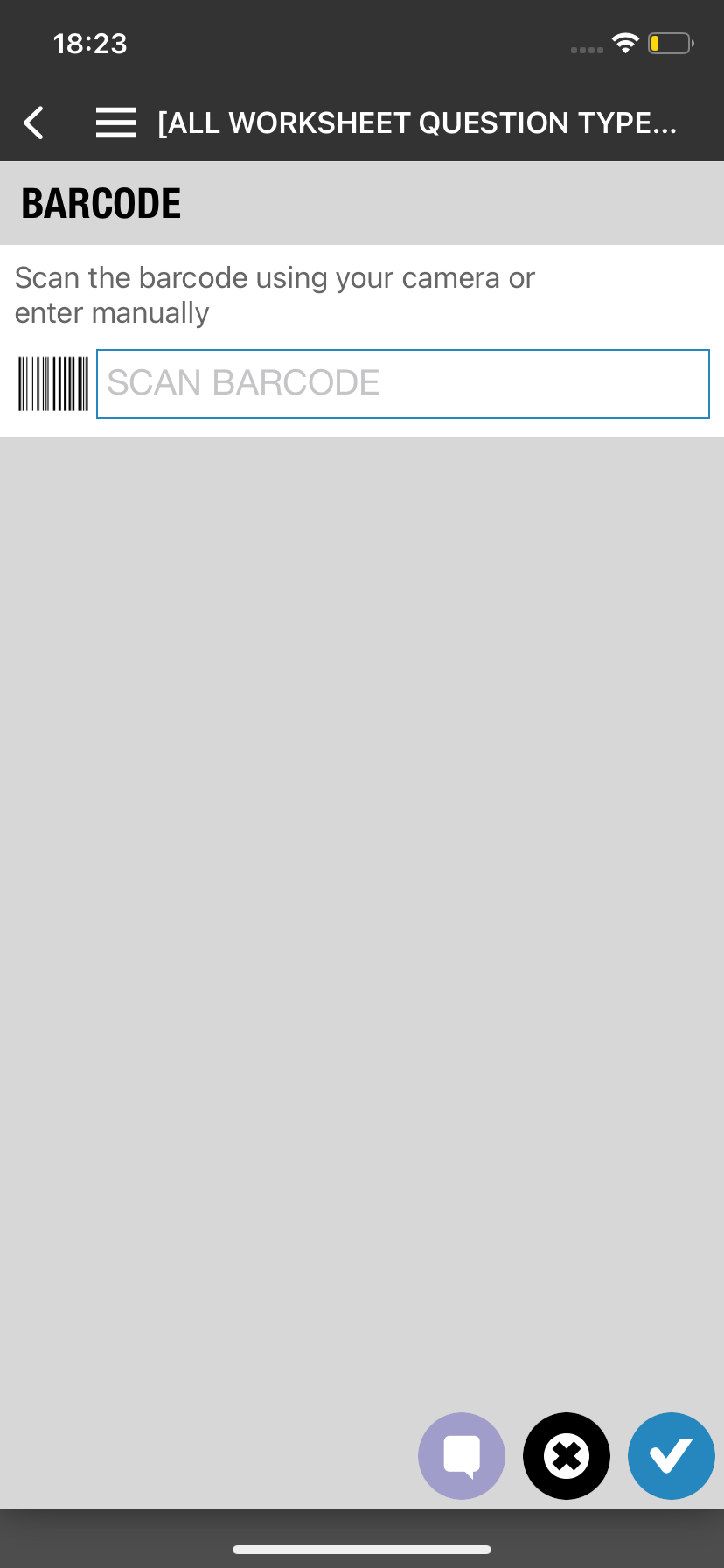
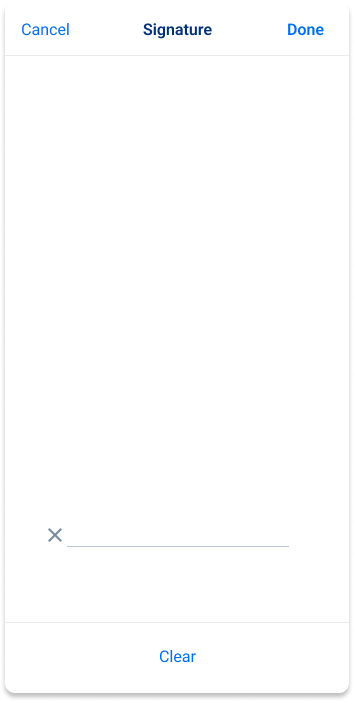
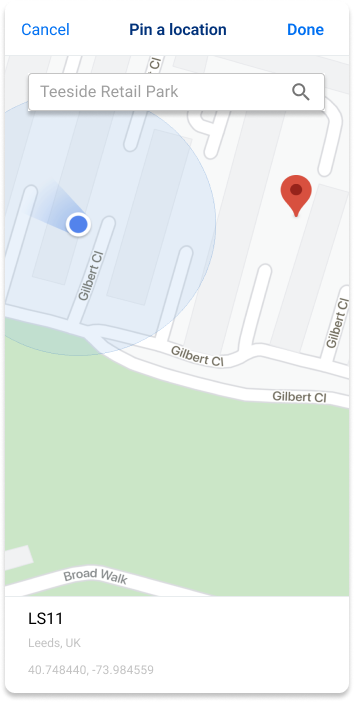
Additional contents included. This includes signature over for completing each worksheet, ability to edit gps location and pin from map, barcode scan, etc.
Added a section for stocks and unserialised items that are going to be used for the job. Straightfoward UI of how each items can be added and editing its quanities.
Working prototype and ready to be tested/showcased.
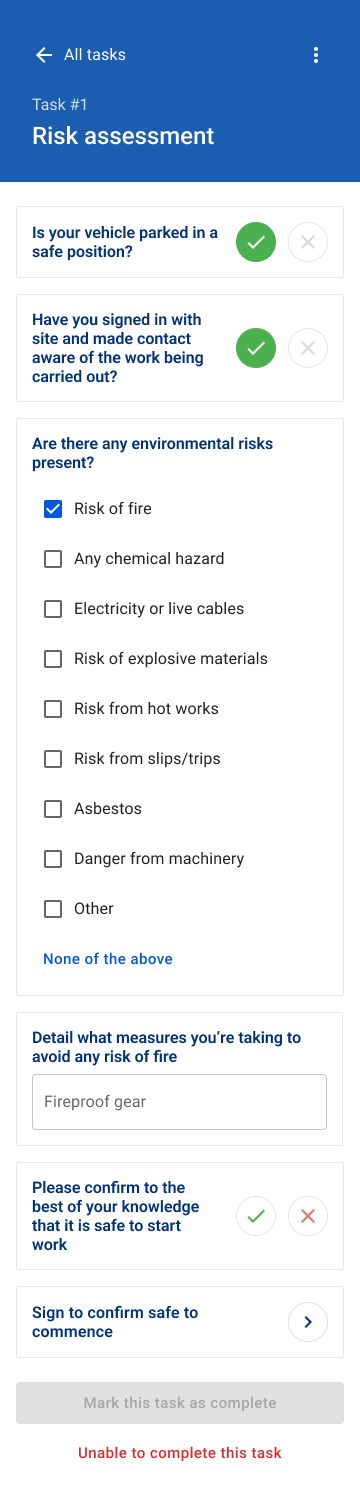



Next steps…
The prototype will be shared amongst departments in BigChange prepartory to testing it with customers. This is to gain validation outcome as well as further refining the user interface.