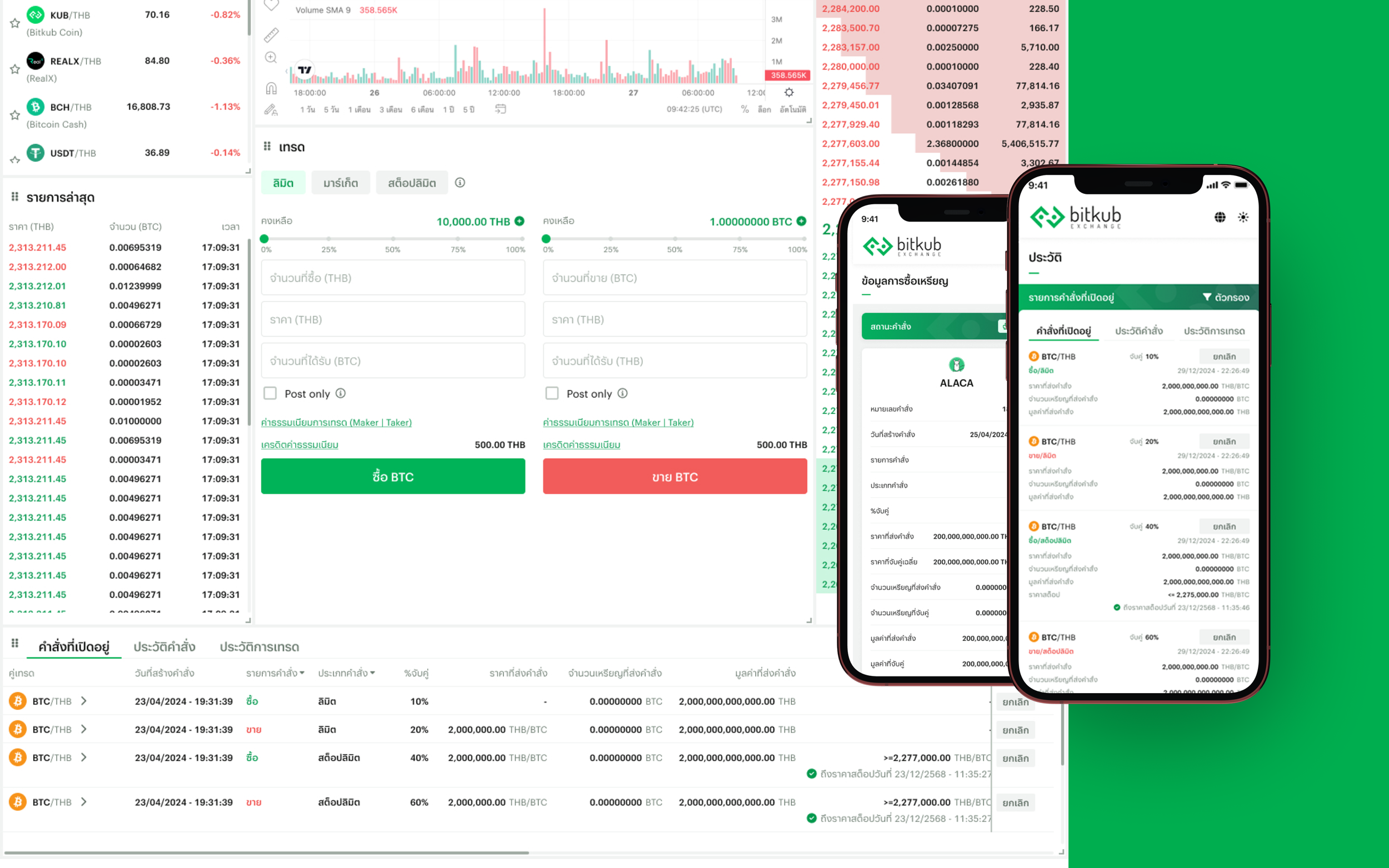
Order Management
The Order Management system helps traders track and manage the lifecycle of their trades on Bitkub.
Previously, the trading interface only supported Open Orders and Transaction History, which limited users' visibility into their past trading activity. I worked on designing a new Order History system, along with improved filtering tools and execution transparency.
The goal was to provide traders with a complete view of how their orders are created, executed, and finalized across the platform.
Product Overview
UX design, information architecture, order lifecycle design, responsive design
Responsibilities
Web Trading Platform, Responsive Mobile, Application
Platform
The Challenge
Before this project, the trading interface only allowed users to view:
Open Orders — active orders waiting to be matched
Transaction History — completed trade executions
This created a gap where users could not easily track the full lifecycle of their orders.
For example, users could not easily review:
Cancelled orders
Rejected orders
Partially filled orders
Orders that had completed execution
For active traders placing multiple orders across different trading pairs, this made it difficult to audit past trading activity or understand how specific orders progressed from placement to execution.
Problem Statement
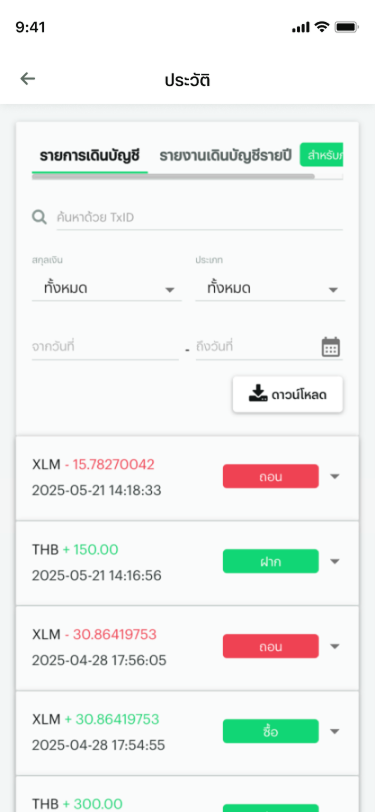
Improve Order Visibility: Allow users to view the full lifecycle of their orders, including filled, partially filled, and cancelled orders.
Enable Faster Transaction Search: Provide filtering tools that allow traders to quickly locate specific orders within large transaction histories.
Increase Execution Transparency: Allow users to see how their orders were matched in the order book and how executions occurred.
Support Both Beginner and Advanced Traders: Enable users to identify whether orders originated from Spot Trading, DCA plans, or Fast Trade, improving clarity across automated and manual trading activities
Design Goals
Product & System Requirements
To support these goals, the Order Management system was expanded into three core sections:
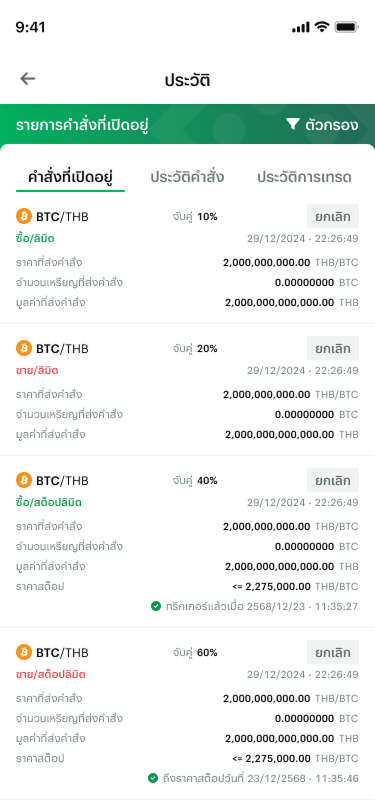
Open orders now display additional execution data including % Filled, allowing users to quickly see how much of an order has already been matched without checking transaction history.
% Filled = (Filled Amount / Order Amount) × 100
This gives traders immediate visibility into order progress and helps them decide whether to wait, adjust, or cancel an order.
Open Orders (Improvements)

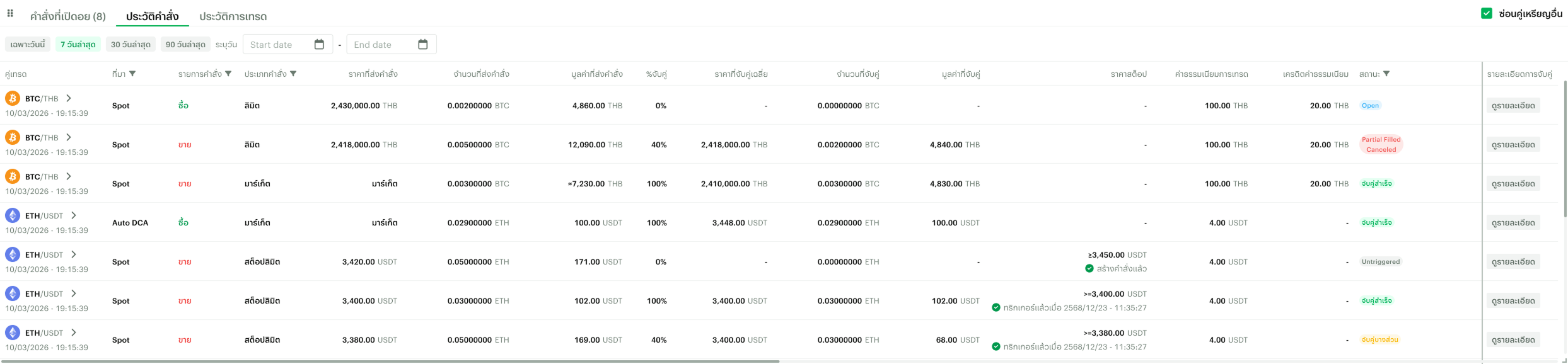
Order History stores historical order records, allowing users to review orders after they leave the Open Orders state.
Orders are moved to Order History once they reach a final state, such as:
Filled — the order is matched 100%
Partially Filled & Cancelled — the remaining amount is cancelled
Cancelled — the user cancels the order before it is fully matched
Rejected — the order cannot be executed (e.g. insufficient liquidity or invalid conditions)
This allows traders to review how their orders progressed from creation to completion.
Order History (New)
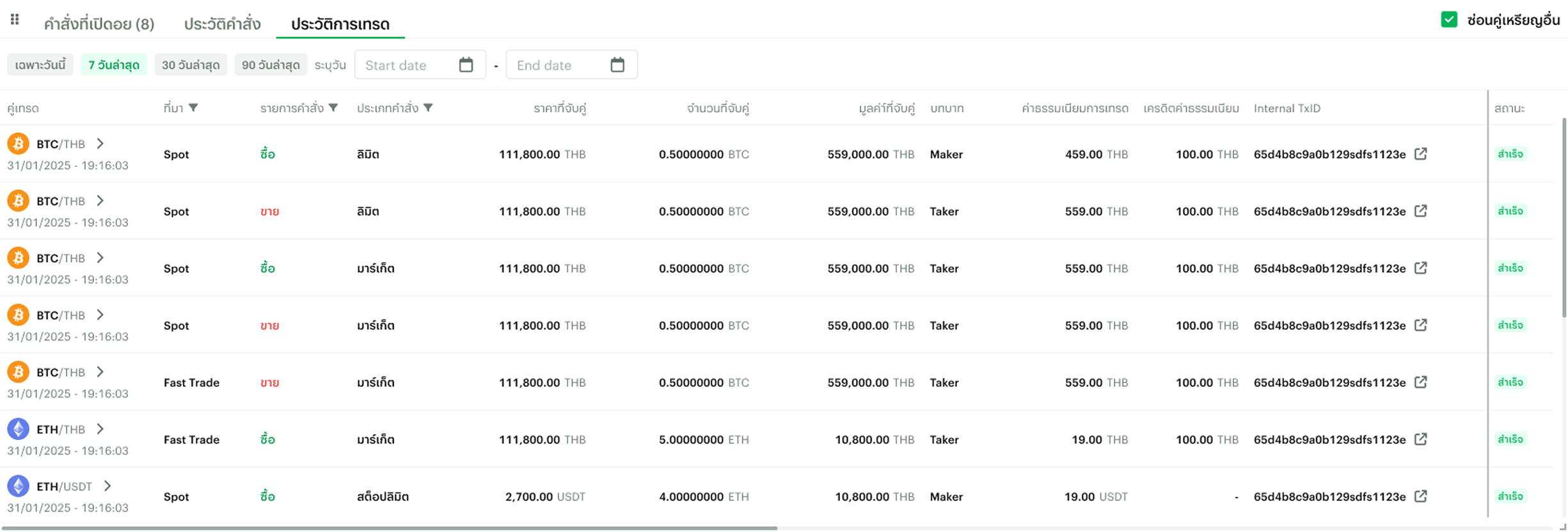
Displays executed trades resulting from order matches. This structure allows traders to clearly distinguish between active orders, historical orders, and executed transactions.
Transaction History
The Design
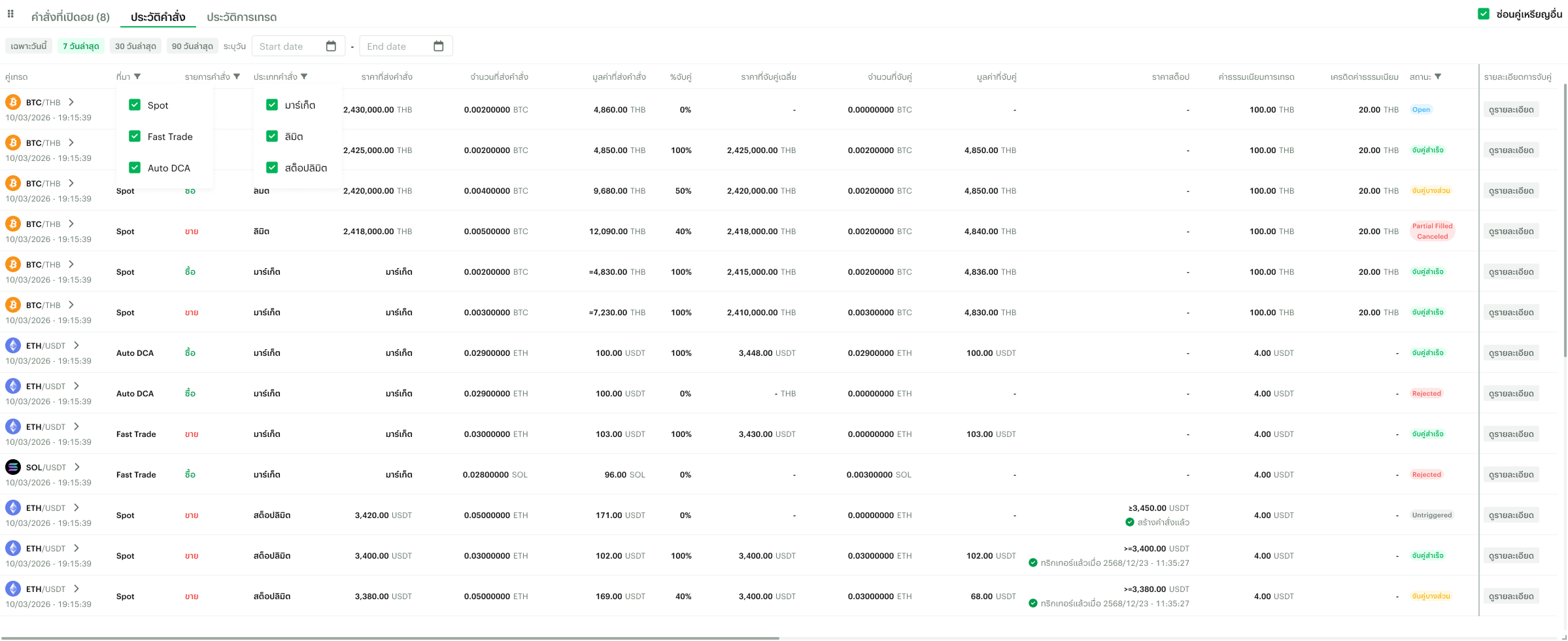
I introduced a new Order History section that allows users to review the complete lifecycle of their orders.
Instead of only seeing active orders or completed trades, traders can now review historical order data including:
Order price and quantity
Filled amount
Remaining amount
Execution timestamps
Fees
This allows users to better audit their past trading activity and understand how their strategies performed.
Order History
The system also supports more advanced order types, ensuring traders can review the full configuration of their past orders.
For example, Stop-Limit orders display additional parameters such as:
Trigger Price
Stop Price
Limit Price
Displaying this information ensures traders can understand the exact conditions under which their orders were triggered and executed.
Advanced Order Data
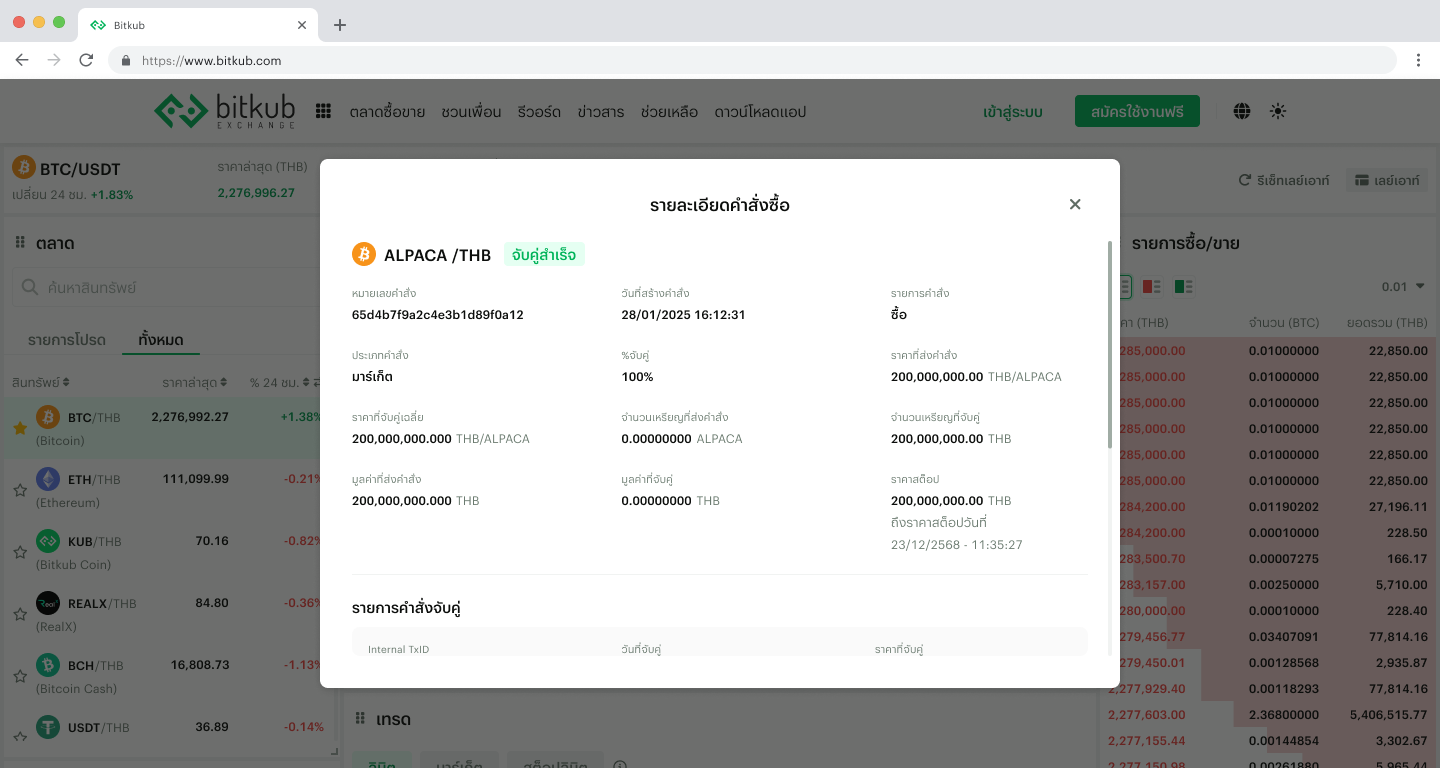
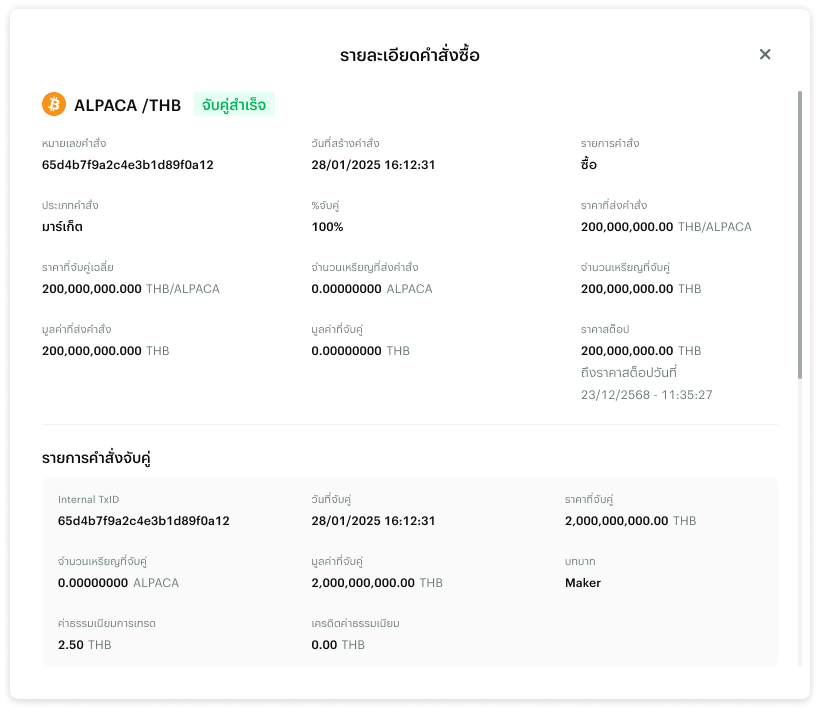
To further improve transparency, I designed a detail modal that shows how each order was matched in the order book.
Users can view:
Execution timestamps
Matched quantities
Execution price
Trading fees
Maker / taker role
Orders that are filled across multiple trades show a breakdown of each individual match.
This allows traders to clearly see how their order interacted with market liquidity.
Order Distribution Visualization
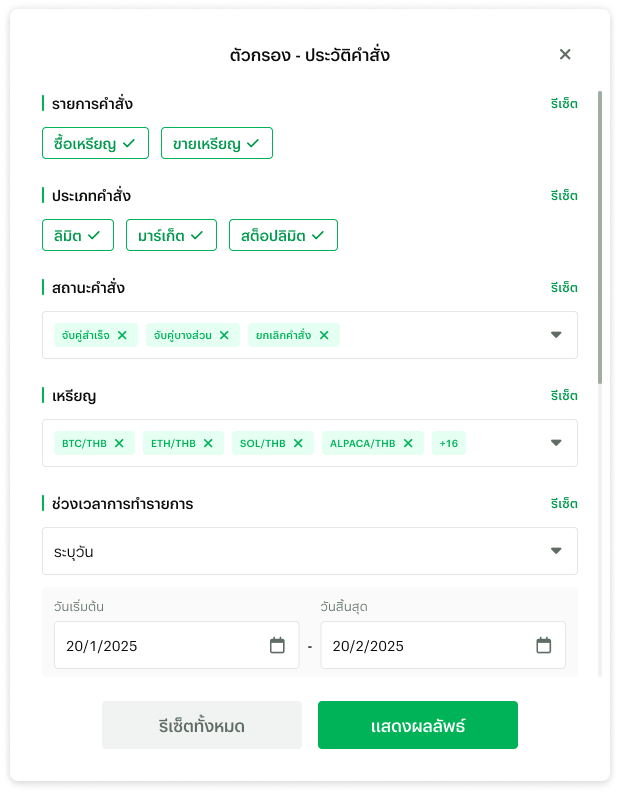
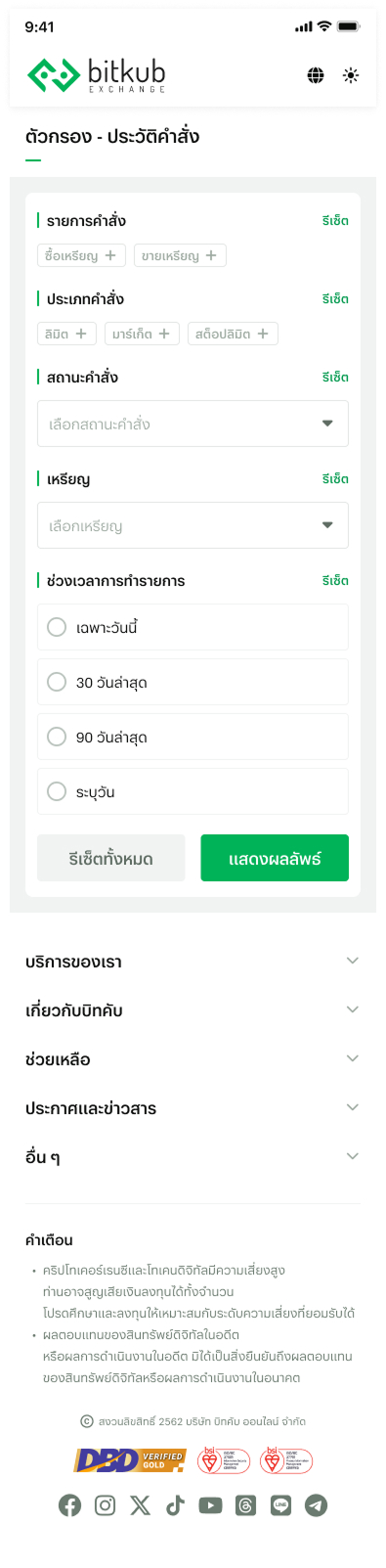
Active traders often manage large volumes of transactions, so I introduced a filtering system that allows users to quickly locate specific records.
Users can filter by:
Trading pair
Order side
Order type
Trade source
Date range
Coin pairing
This significantly improves navigation when reviewing past trading activity.
Filtering for High Trading Volume

Cross-Platform Experience
The order management system was designed to support web, mobile web, and mobile application, ensuring traders can monitor their orders across devices.
Mobile layouts were adapted using:
Card-based transaction views
Seperate order details page
Simplified filtering interactions
Responsive & Mobile application

The Impact

The introduction of Order History allows traders to track the full lifecycle of their orders, from creation to final state (filled, cancelled, or rejected). This provides users with clearer insight into how their trades progress over time.
Complete Order Lifecycle Visibility

Detailed order information and execution breakdowns allow users to understand how their orders were matched in the order book, including execution price, timestamps, and trade roles.
Execution Transparency

Faster Transaction Discovery
Filtering tools allow traders to quickly locate specific orders across different trading pairs, order types, sources, and time ranges, making it easier to review past trading activity.

The addition of % Filled in Open Orders provides immediate visibility into order progress, allowing traders to quickly understand how much of an order has been executed and make faster trading decisions.
Active Orders Monitoring