Moriko
UI design for a computer game

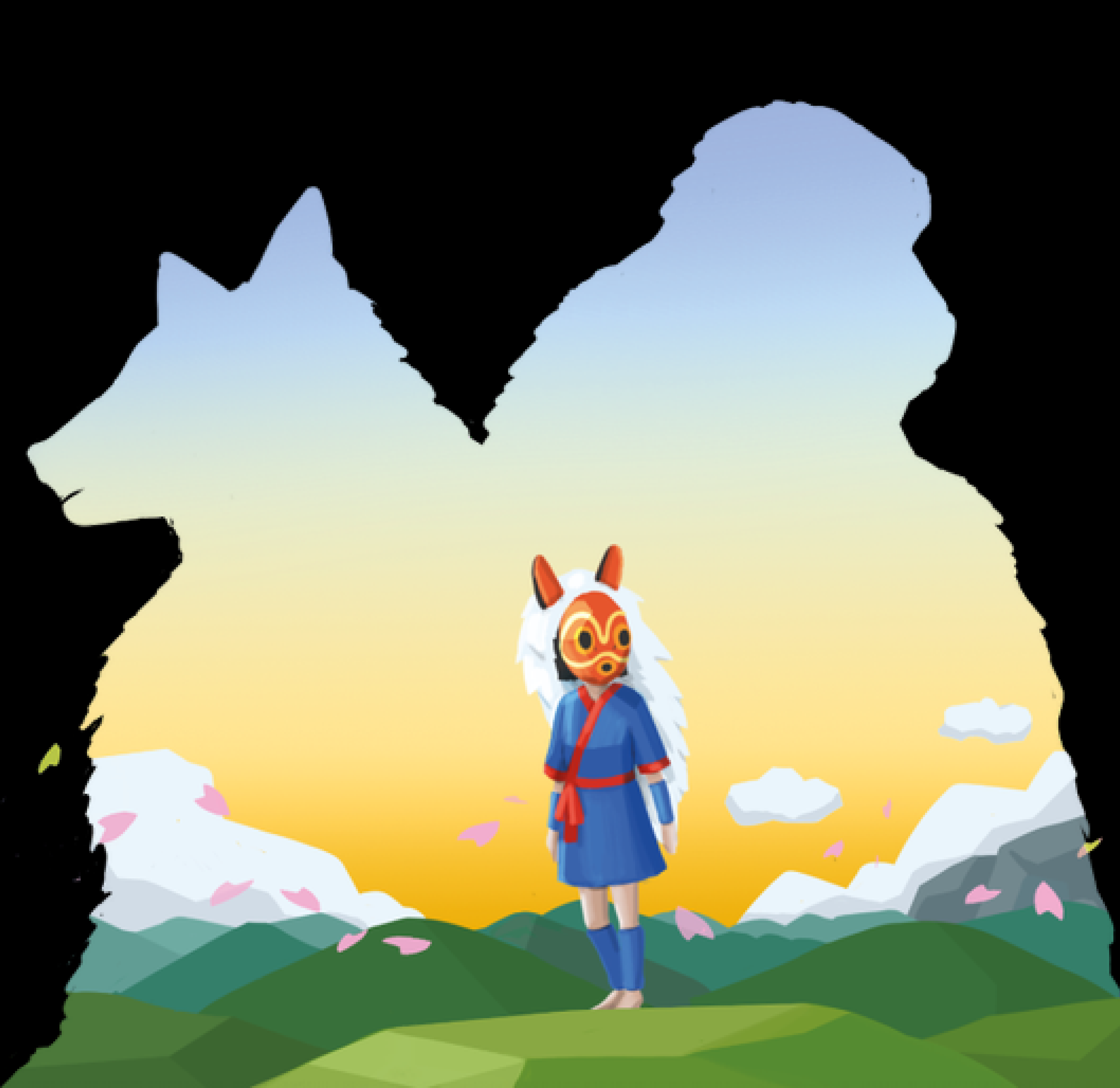
Moriko is a third person adventure game inspired by the 1997 animated film, Princess Mononoke. The game features a sequel story revolving around the descendant of the protagonist from the original film and references current climate change issues.
Serving as the main inspiration for our concept and produced by the acclaimed Japanese animation film studio, Studio Ghibli, Princess Mononoke won multiple awards between 1997-2001. It is described as “A neat blend of environmentally-friendly philosophy and action adventure” with this verbatim encapsulating the theme and genre focus of Moriko. Prior to 2019, Studio Ghibli films were not digitally available, but as of early 2020 all of the studio’s titles, including Princess Mononoke, have become available via Netflix or HBO Max. The recent addition of the animated film on streaming platforms worldwide will facilitate in maximising the reach of the game.
Introduction
The aim of Moriko is to raise awareness on environmental issues and to promote eco-friendly behaviours within the gaming community. Moriko’s narrative and gameplay incorporates a message of harmony as game progression is driven by cooperation between man and nature. Moreover, Moriko aims to go beyond just raising awareness and looks to actively make gamers more eco-friendly with intentions to partner with Greenpeace, a climate change tackling charity, to allow players to earn in-game cosmetic rewards by taking part in voluntary work with the charity.
Aims & Objectives
User inferface components
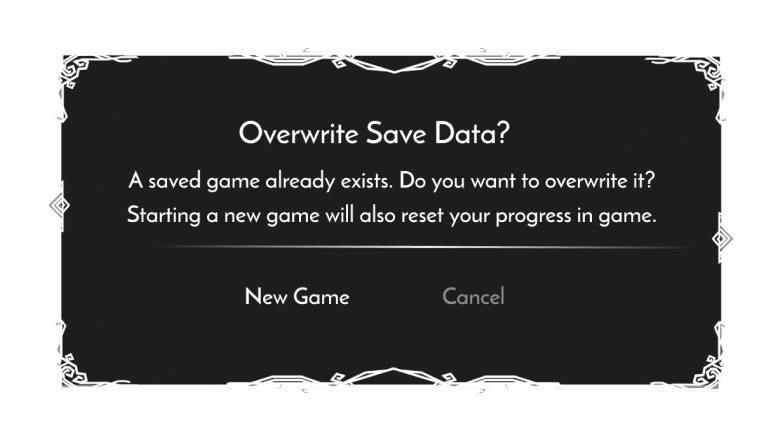
The styling of these containers will apply for the following components:
· Dialogue
· Milestone indicator
· Inventory
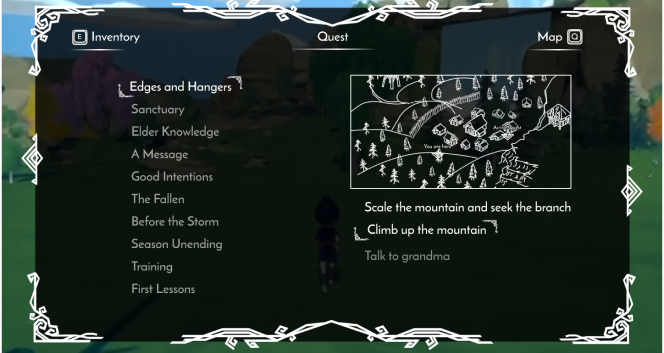
· Quest tracker
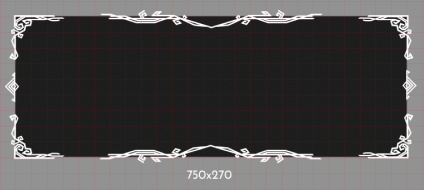
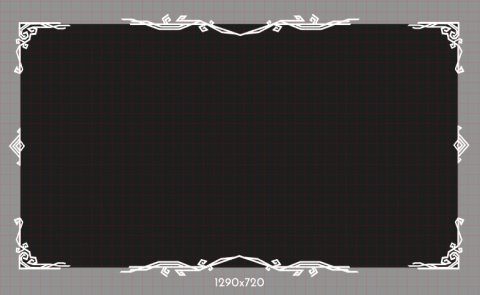
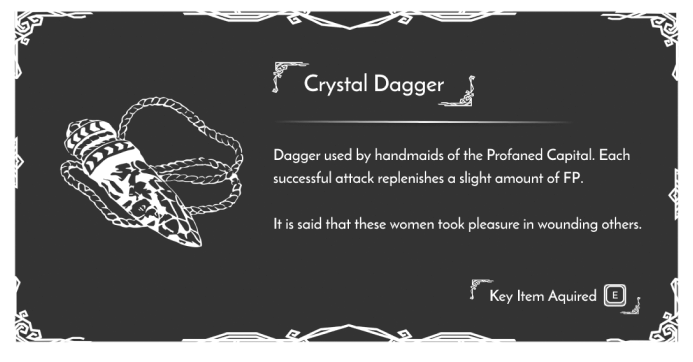
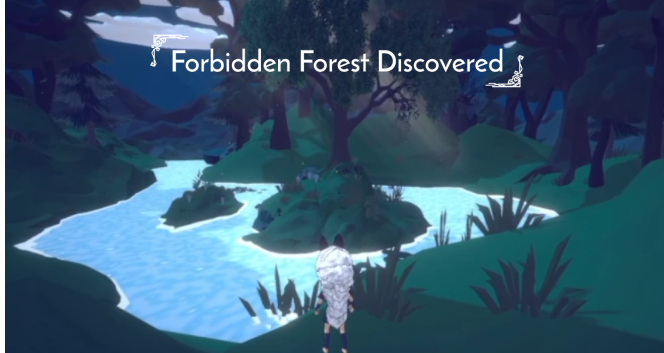
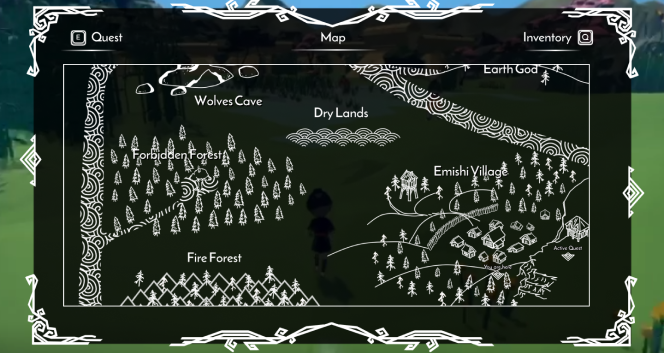
The container features a patterned design as seen below which adjusts to screen sizes through spacing between the patterned elements.
Small screen
Large screen
-
![]()
Information notification
-
![Key item notification]()
Build it.
-
![Key location notification]()
Grow it.
-
![]()
Map
-
![]()
Quest tracker
Controls
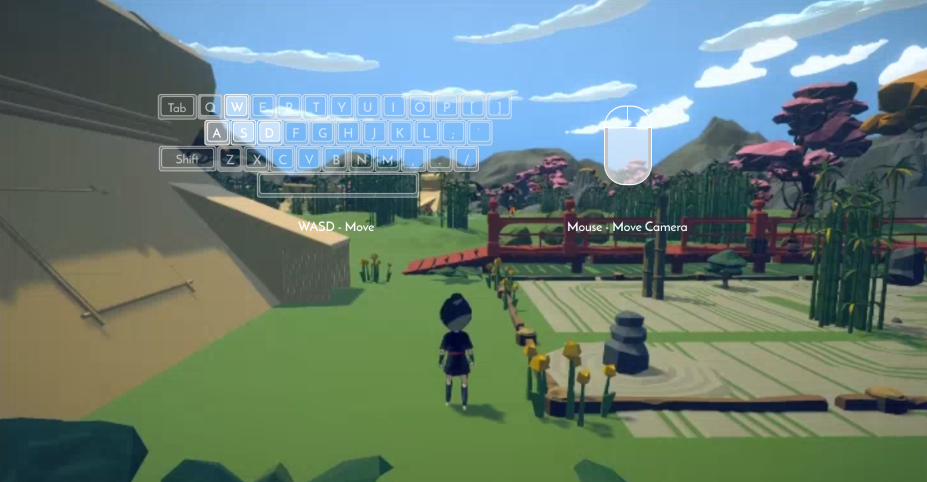
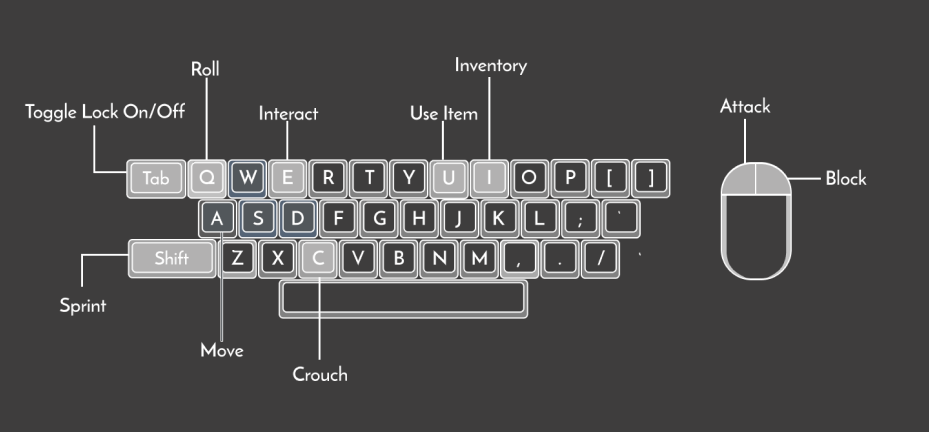
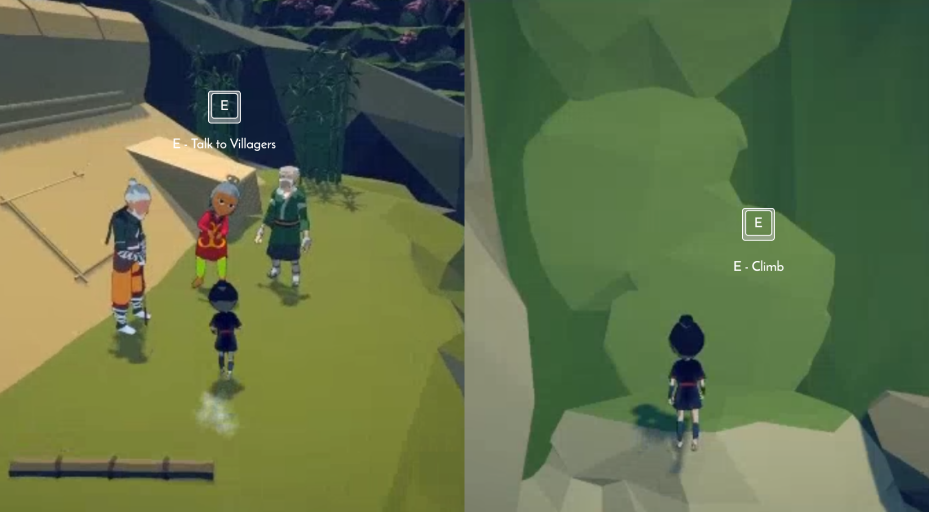
The standard keyboard controls for pc games was adopted in Moriko, as it allows players to move the mouse to control the ability to look while WASD is used for character movement. Players will learn the control gradually, with the main control of moving around first presented at the start of the game. Other controls are presented as they are needed in game. For example, the button “E” will appear alongside the words “talk” when players need to interact with an NPCs. The full controls menu is also accessible with full keyboard/controller view from the settings panel.
Style guide
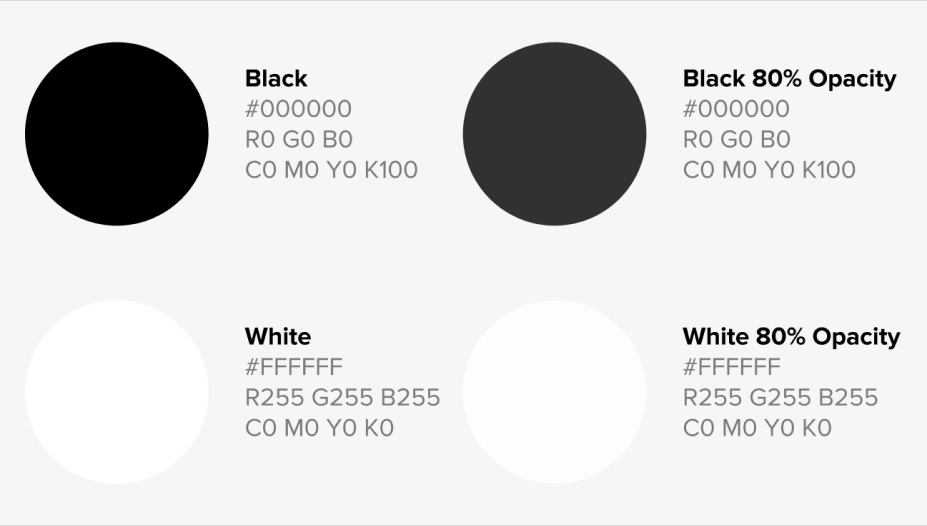
The colour palette for the UI components is a basic duo of black and white, as not to distract from the main gameplay so that players can be immersed within the story and its environment. Similar practises can also be seen in story-based games like AER, ABZU, and Rime.
Small screen
Large screen
Screen size & aspect ratio
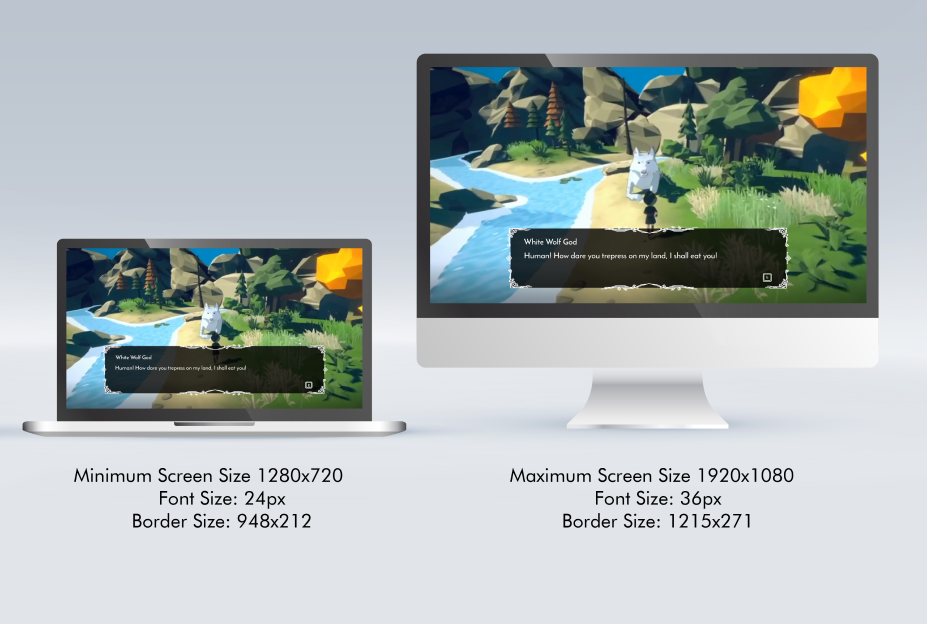
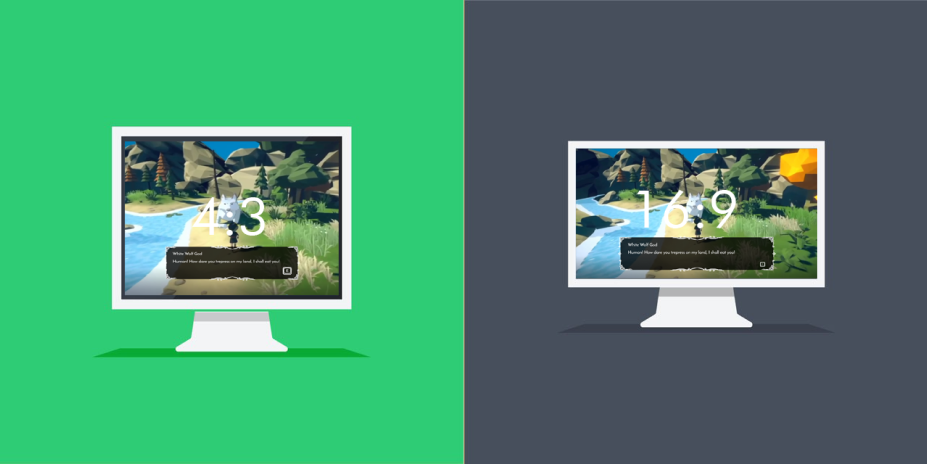
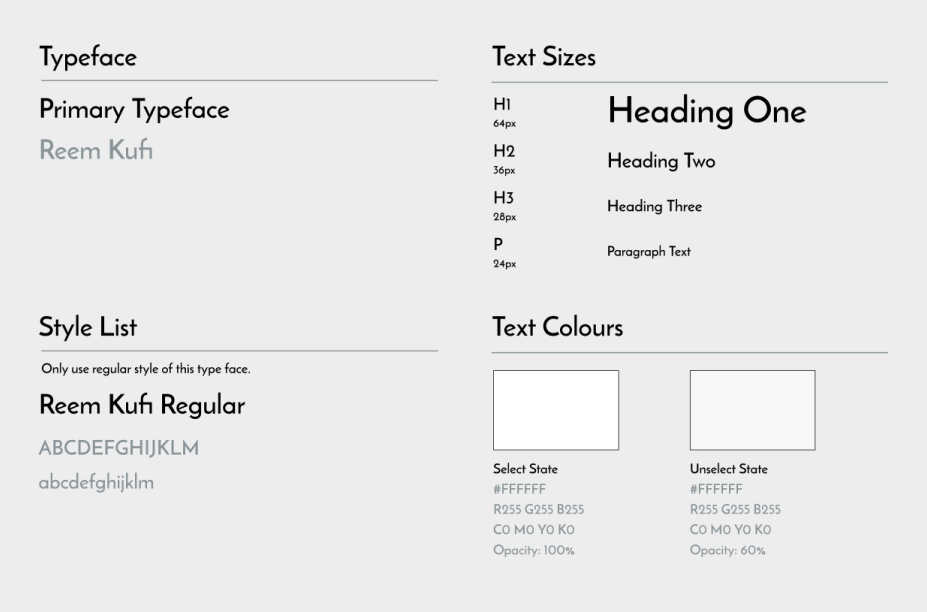
This guide is necessary as it ensures that players are able to read the texts when the screen size decreases from the native screen resolution.
Small screen