Import Hub
-
Importing information is a quick and easy method of moving data from one place to another. This is often used when businesses first start using the platform. Information and data about the business like contacts, jobs, resources, etc, are imported to help users start using the platform with their exisiting information.
-
When new to BigChange businesses must import a lot of data. Previously there was no easy way to do this from a single place, and the functionality had a number of usability issues. It can sometimes be difficult to be sure that everything has worked as expected or to understand what to do if something has gone wrong. Common pain points such as not knowing the statuses of each import and not knowing if information in the file are formatted corrected would often occur. Before the Import Hub, users would have to individually go into the section of the information that they want to import and select it from there. For example, Admin > Resource > Vehicles > Import.
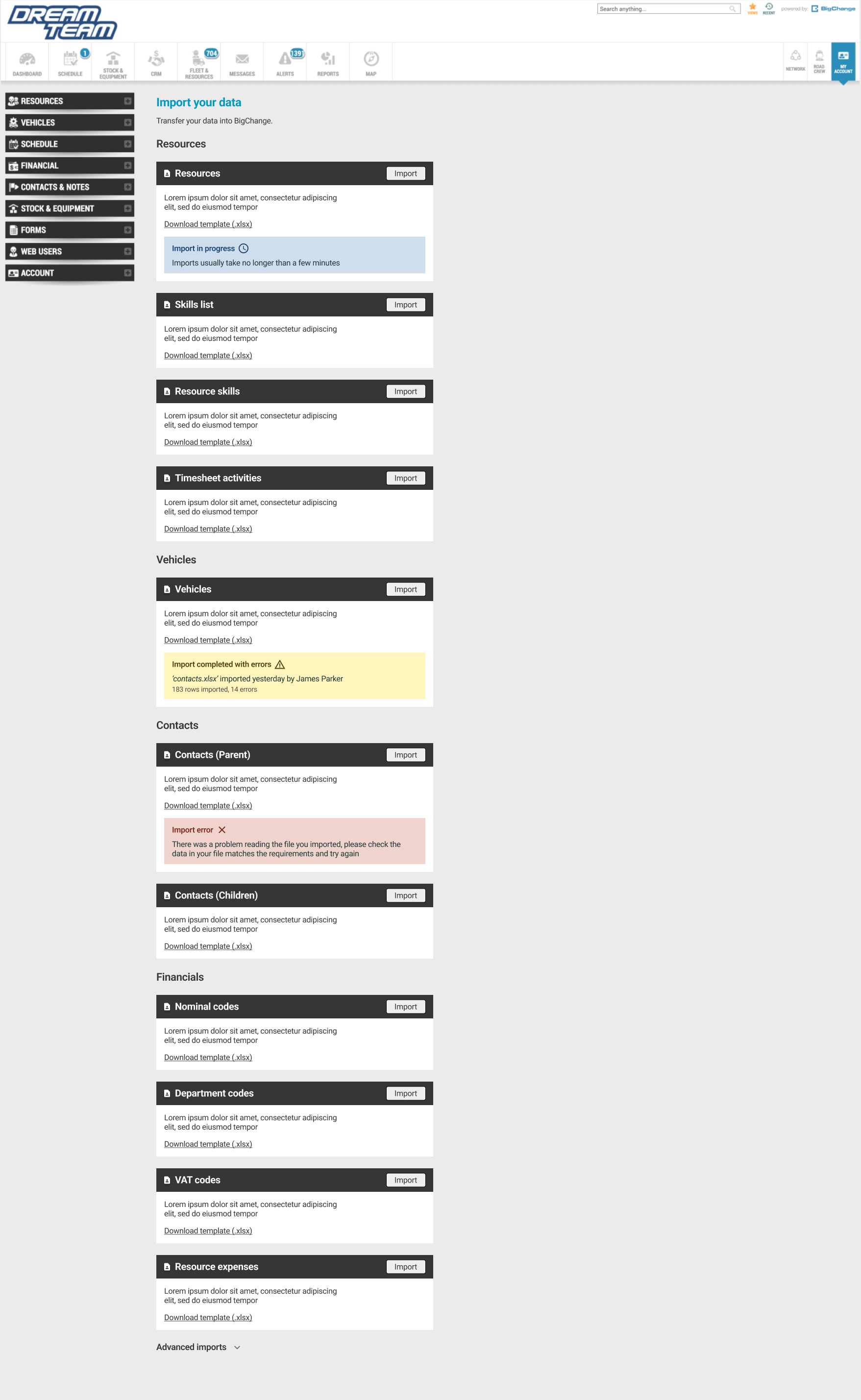
To help with this, we have developed an Import hub, a central place where you can perform imports, download templates and filter by stage or success.
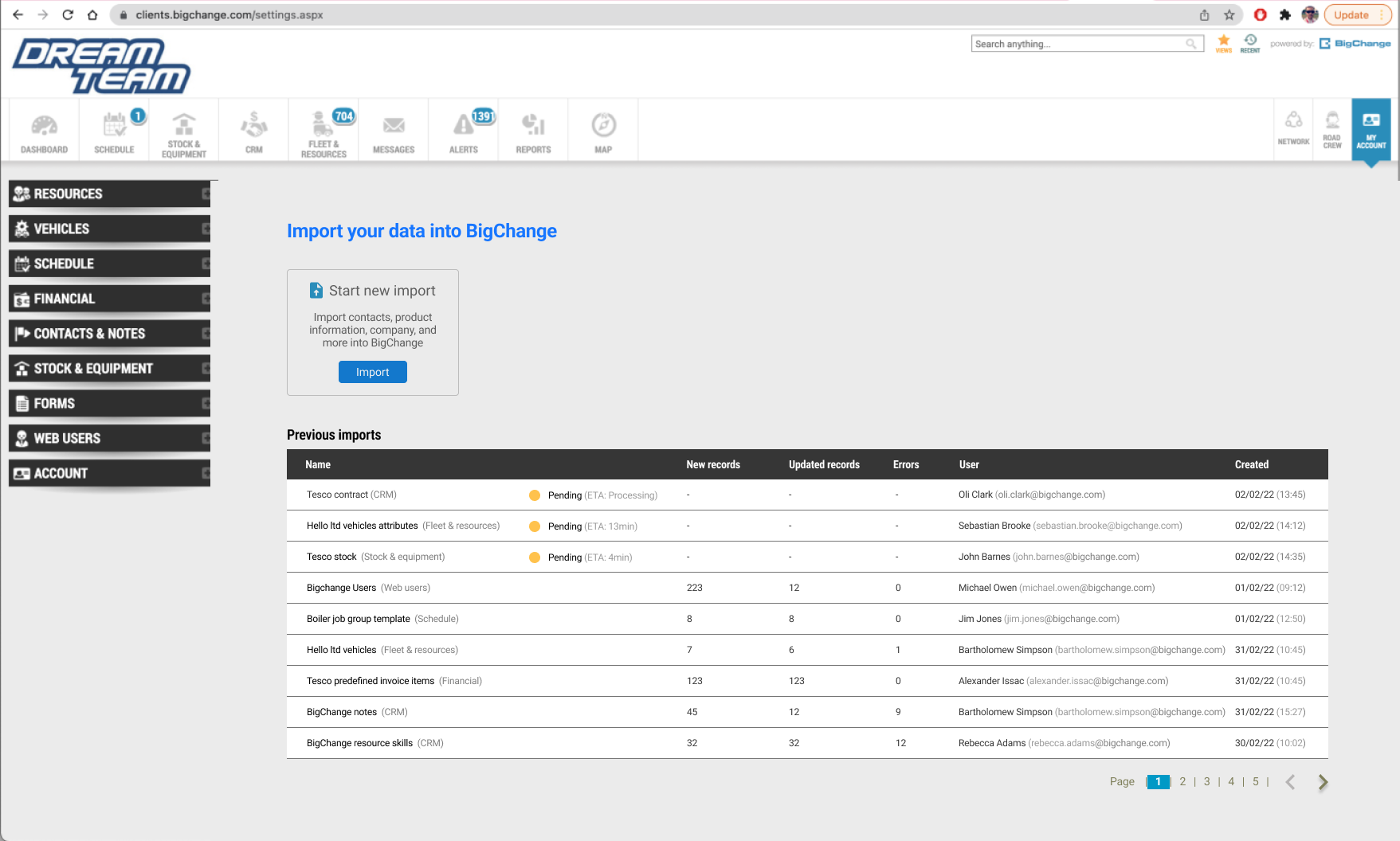
UX Research
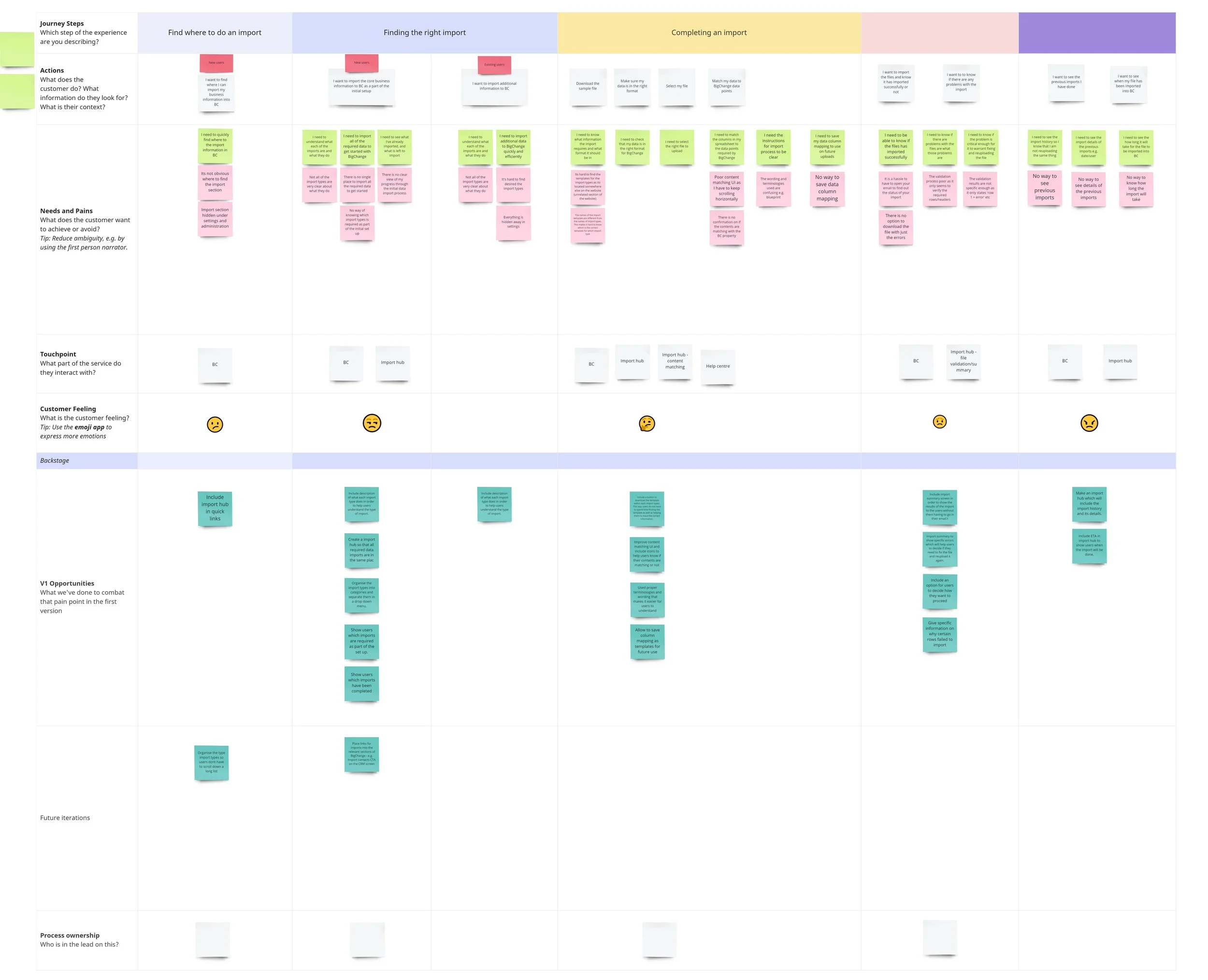
User journey map to figure out pain points and opportunities
Talking with the onboarding team as they have insights about users pain points and goals
Initial designs and ideas
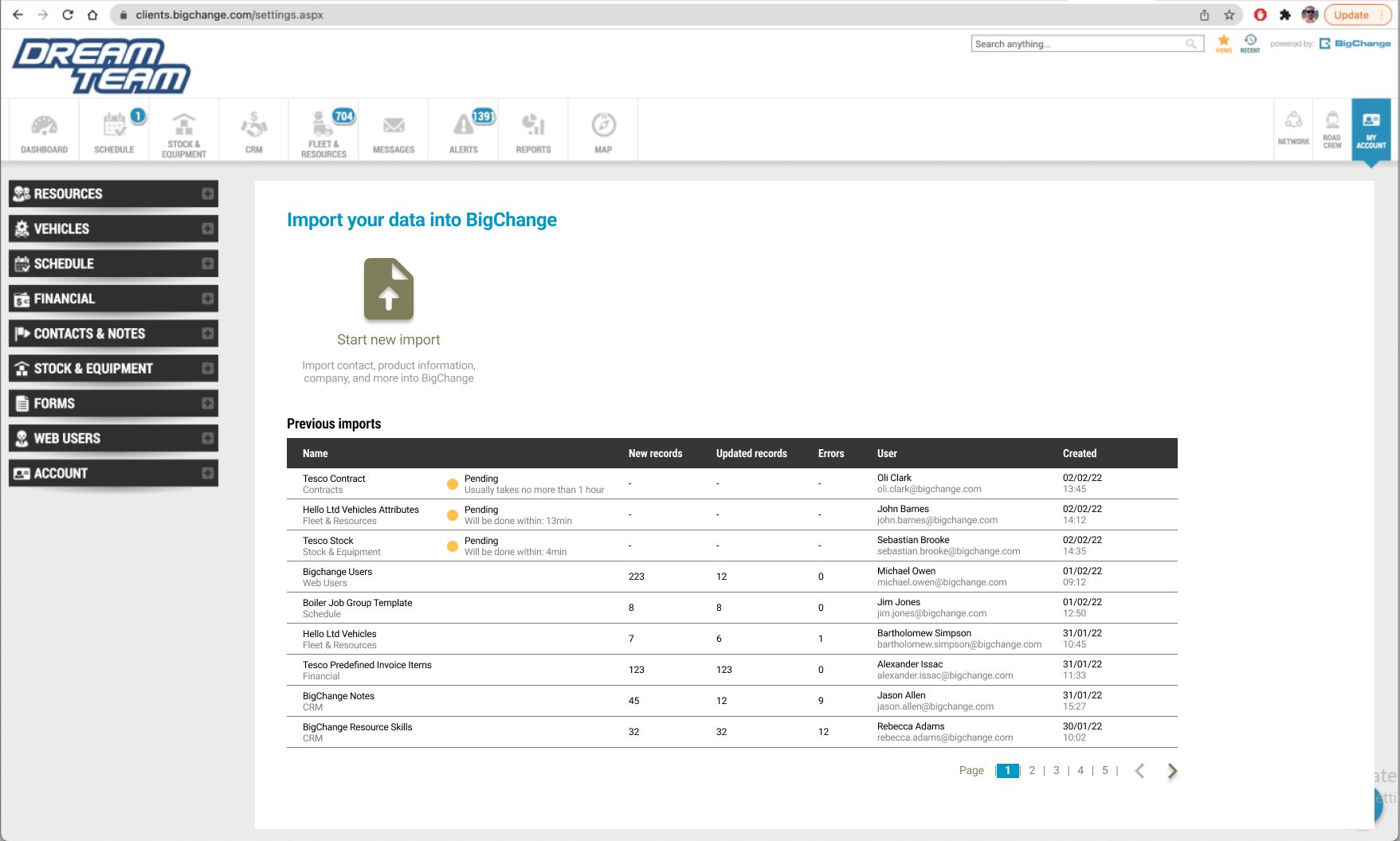
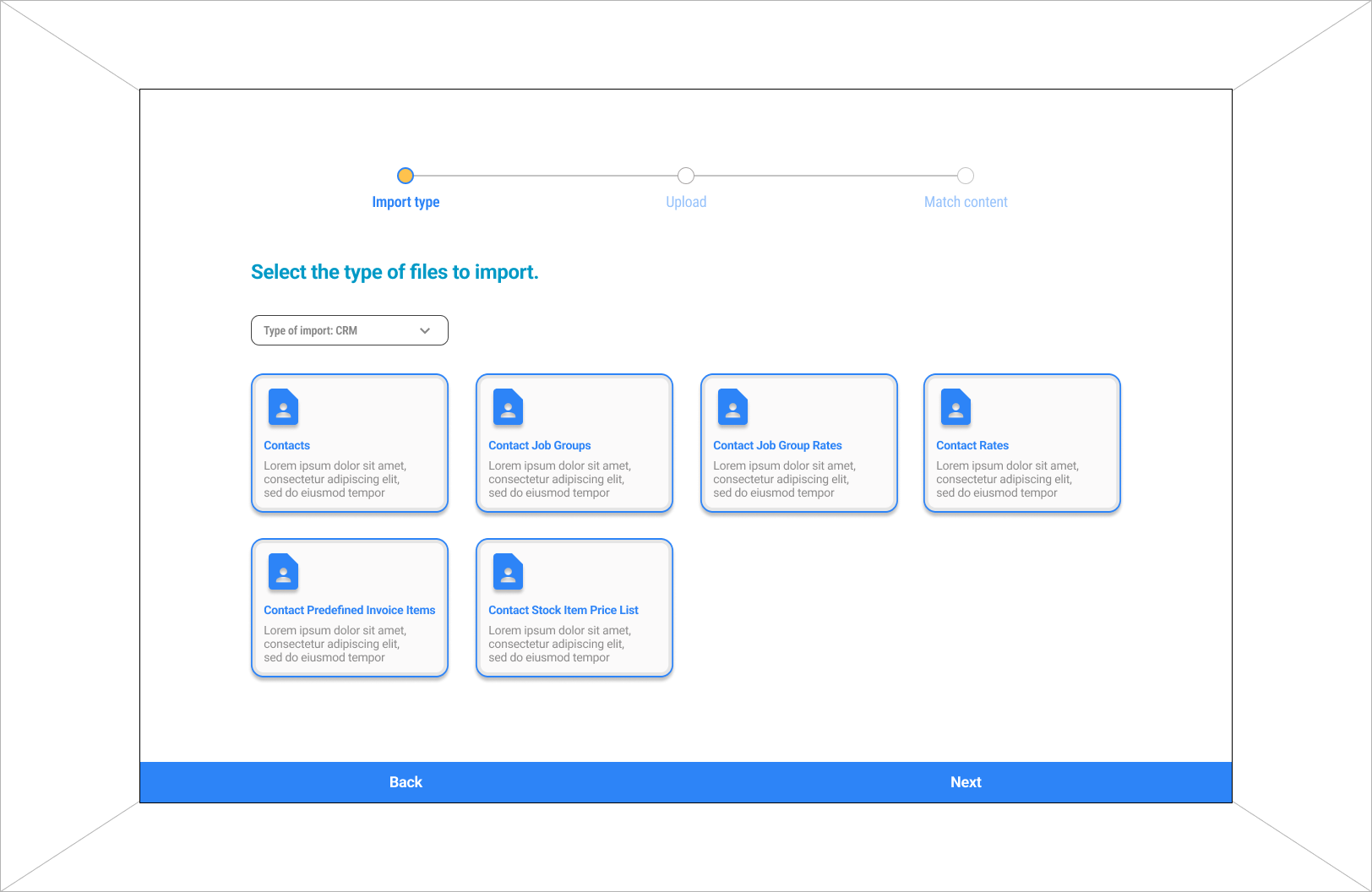
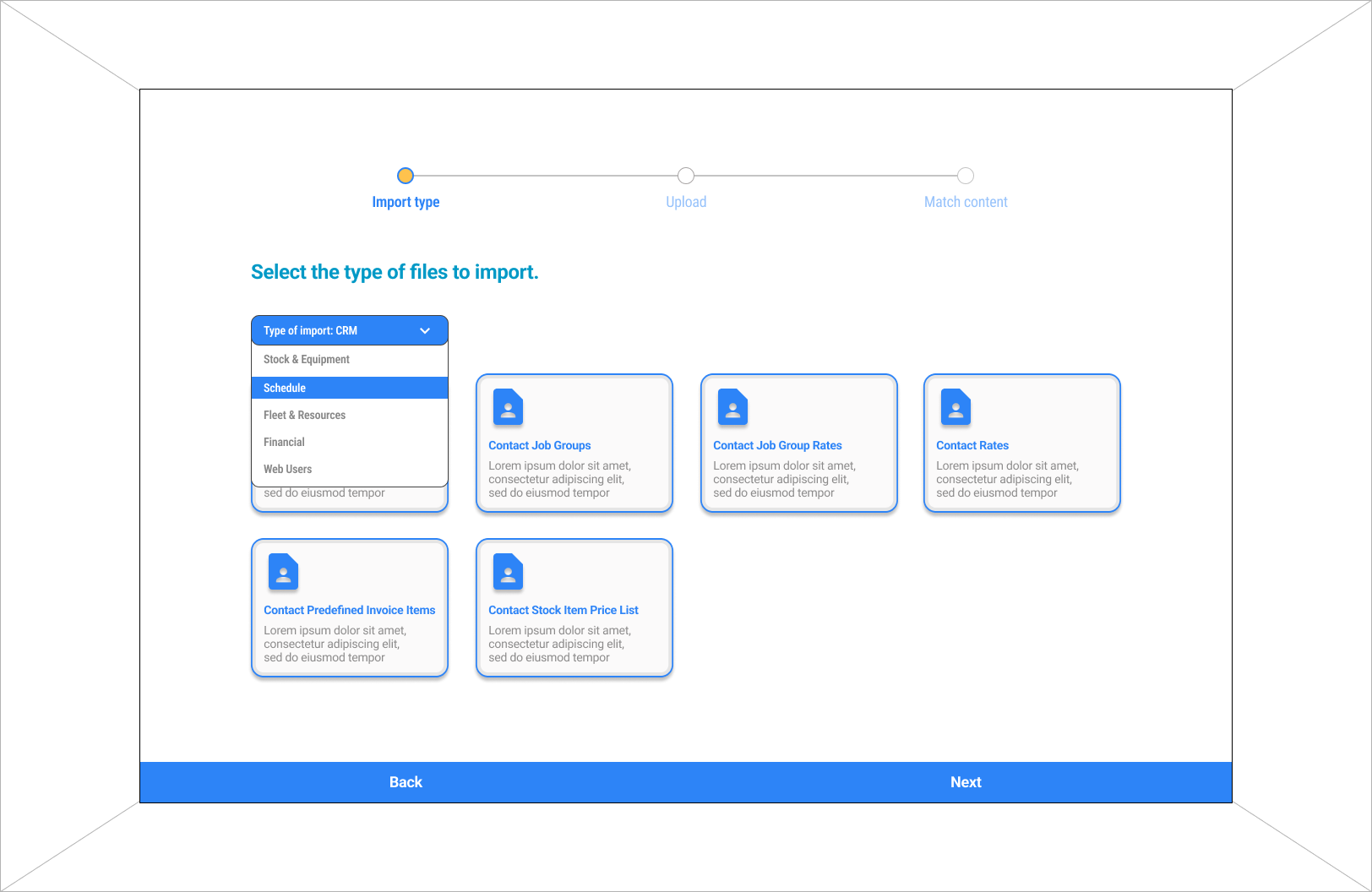
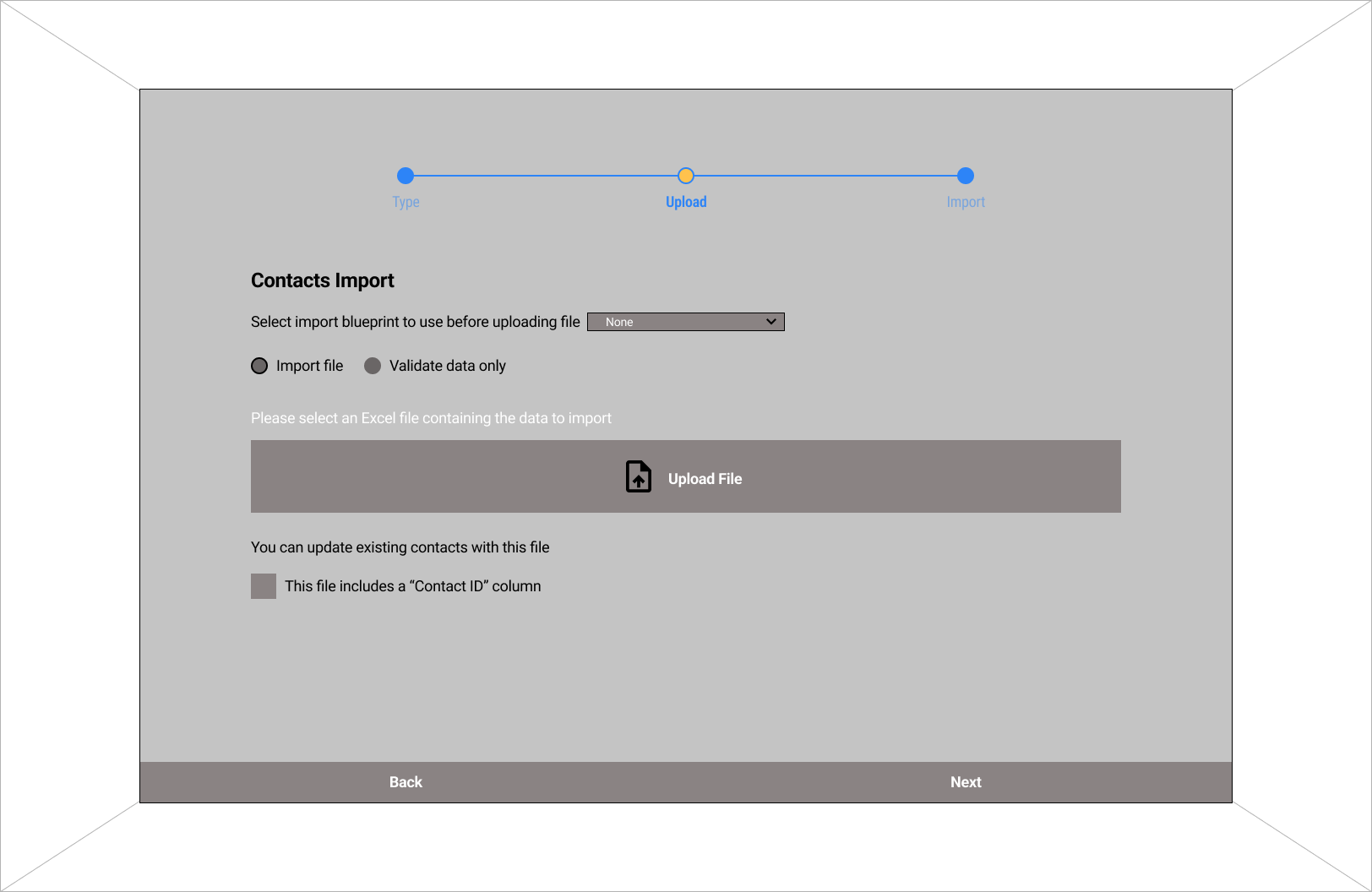
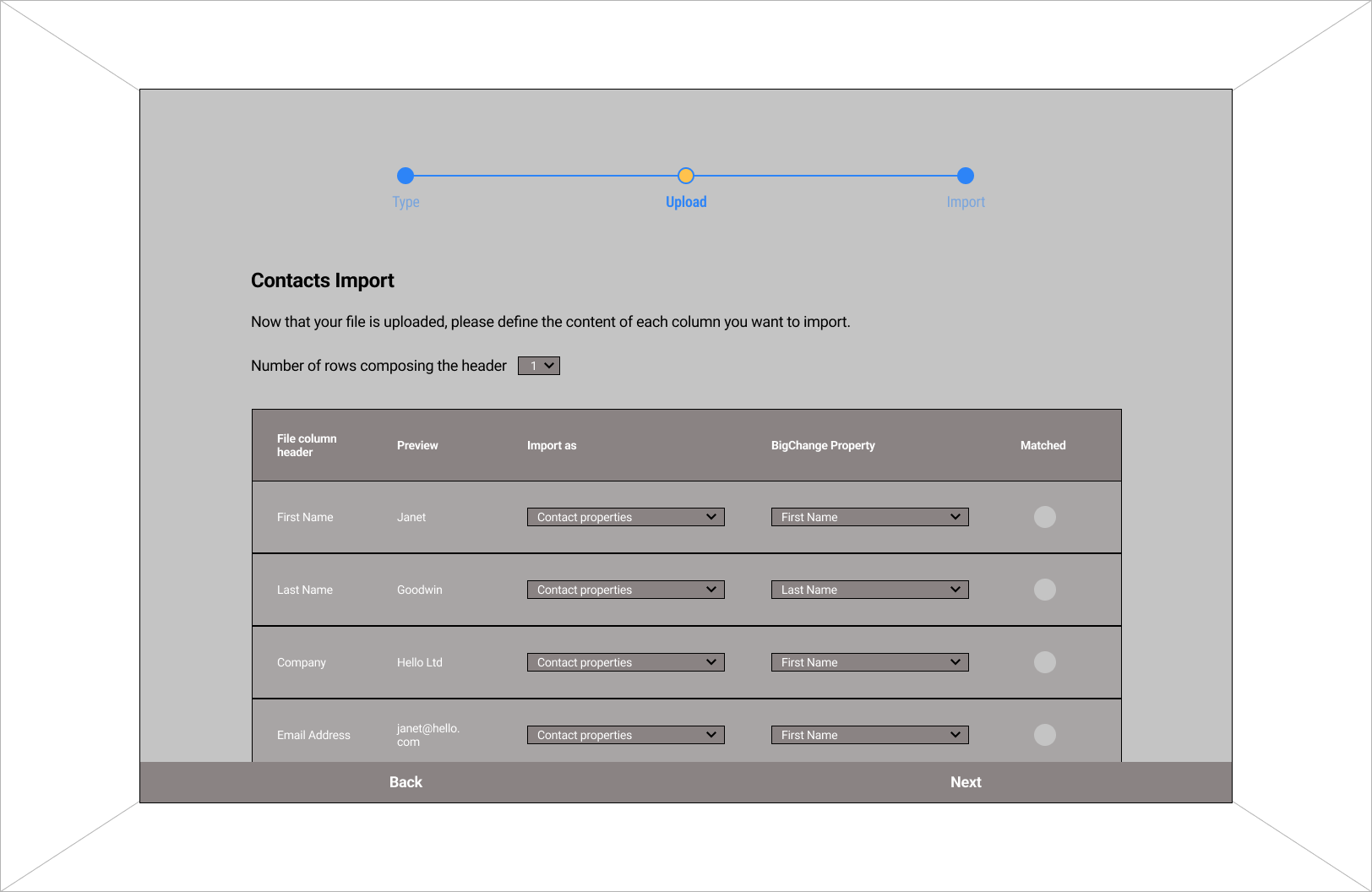
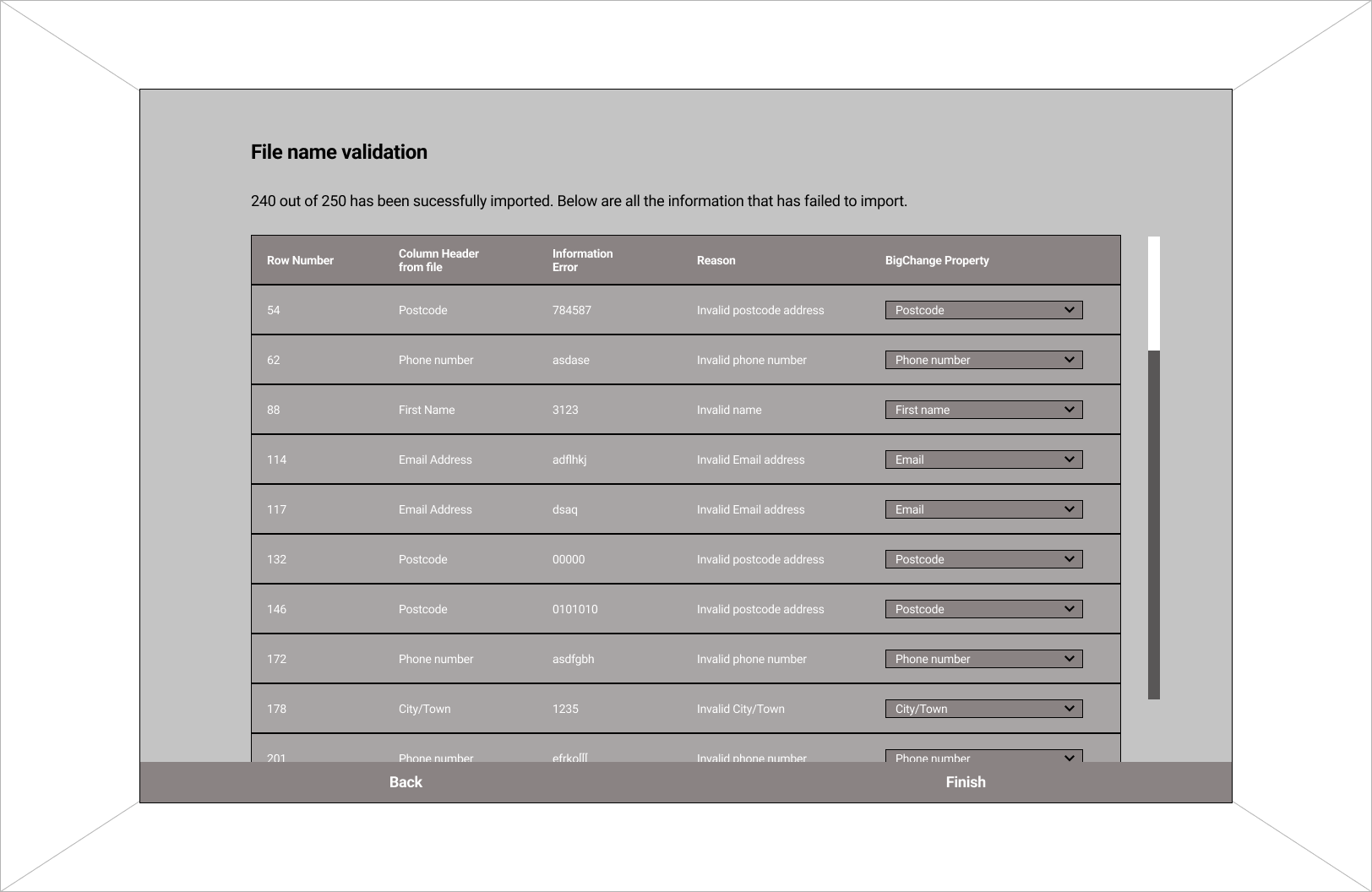
Initial design exploaration was tested with users and refined.
Centralised location for imports. Includes information of previous imports e.g. status, user, date
Sorted imports into categories.
Progress bar and matching contents of imports.
File validation results
Developing the design
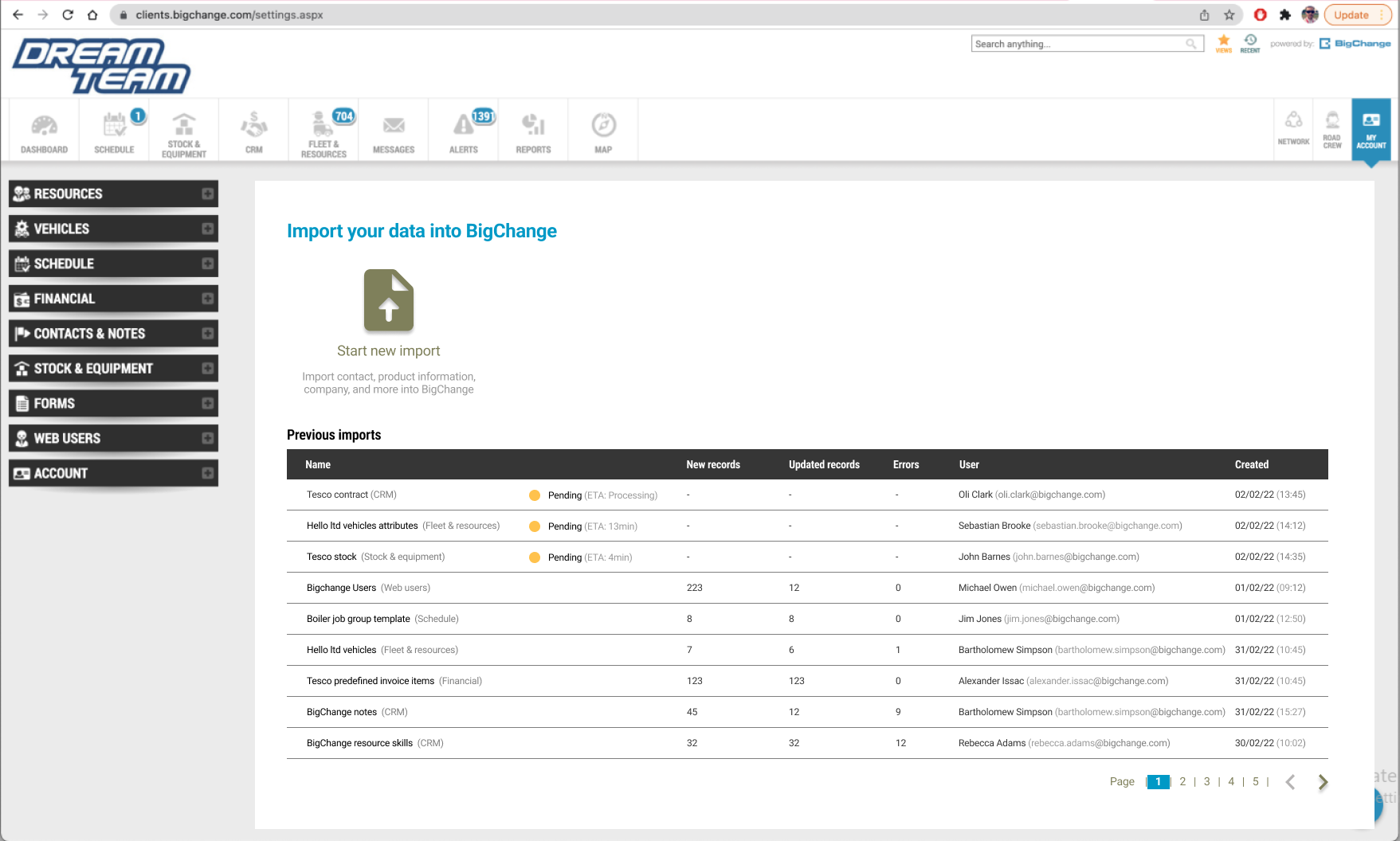
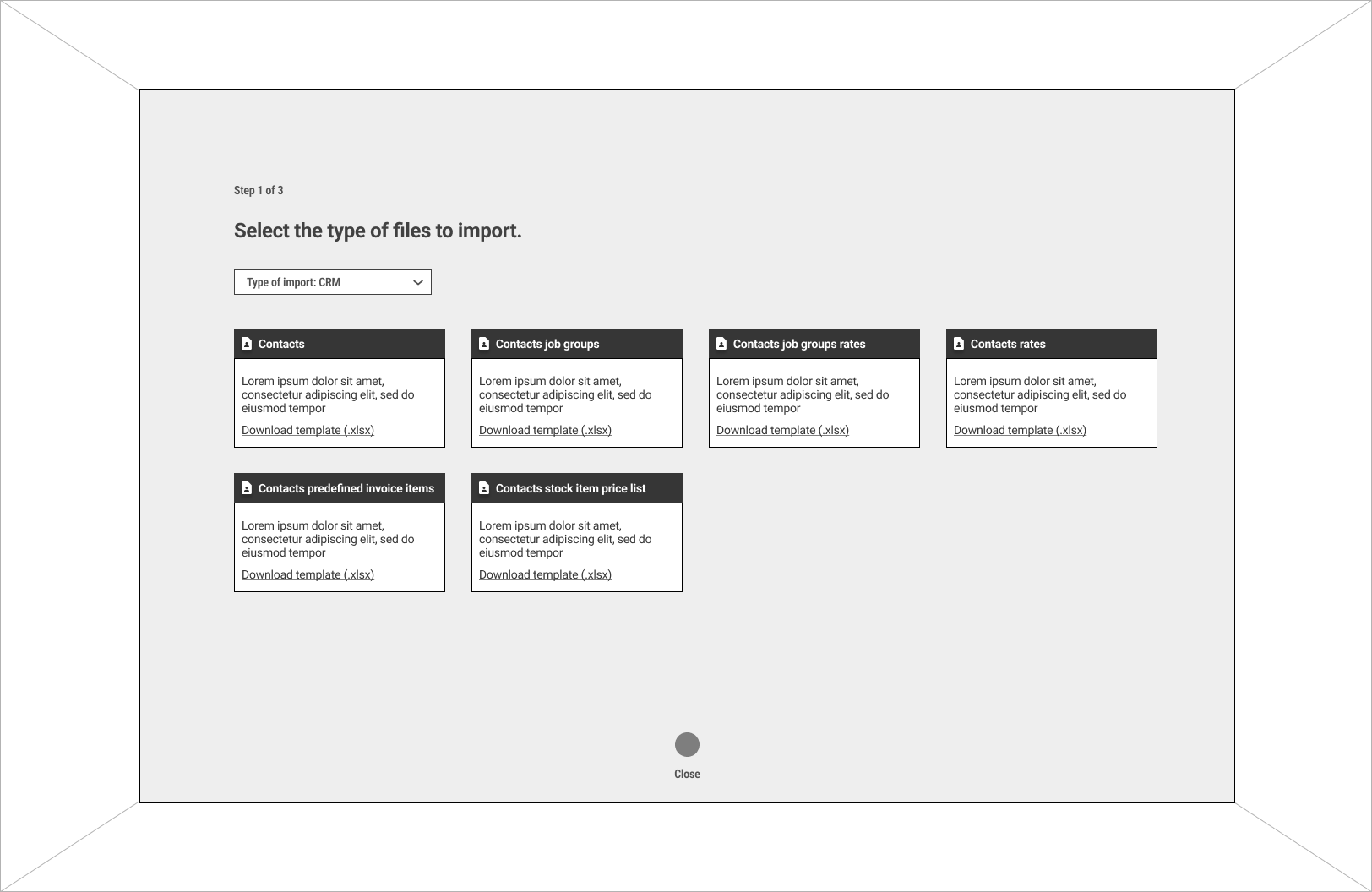
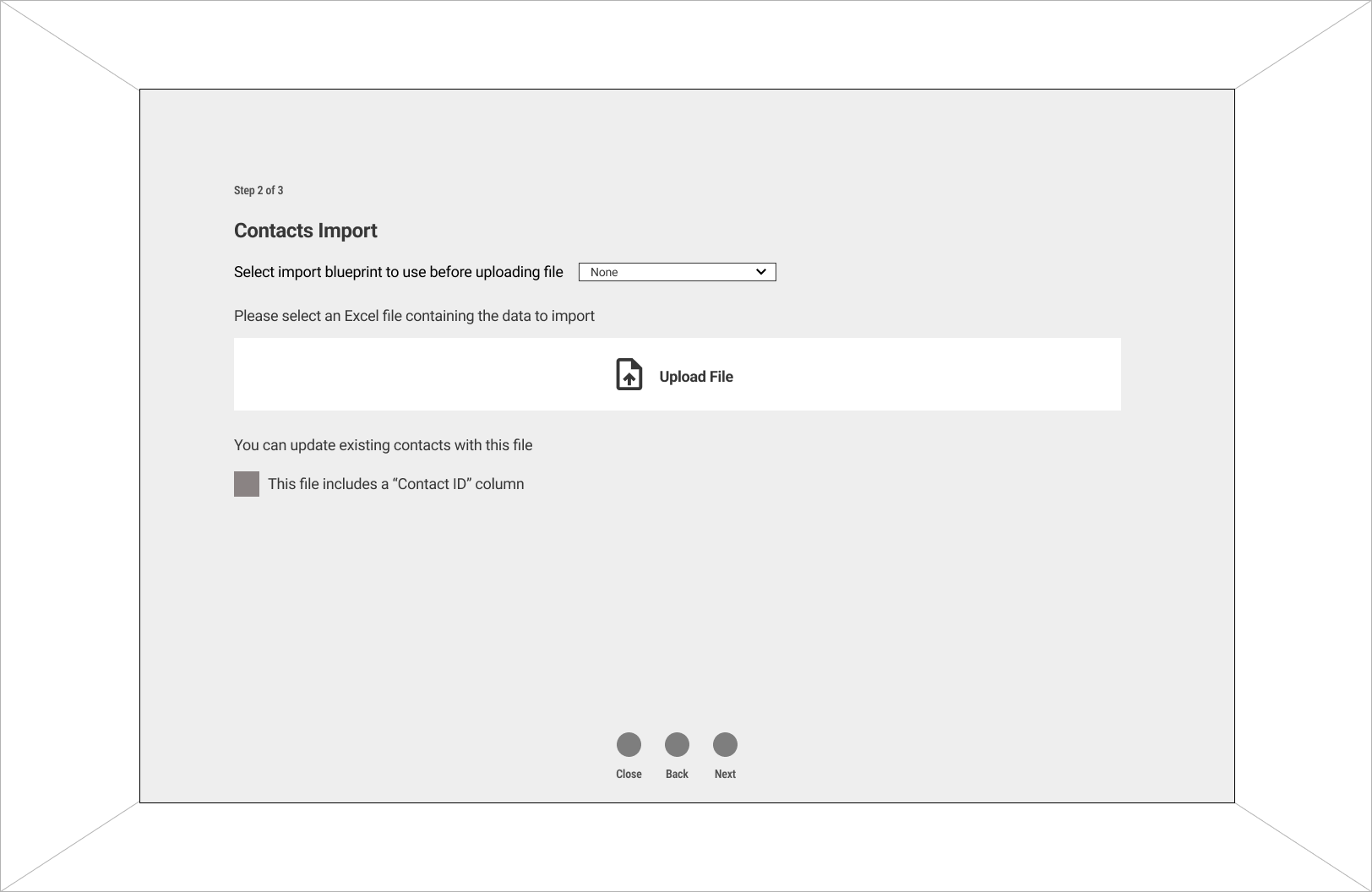
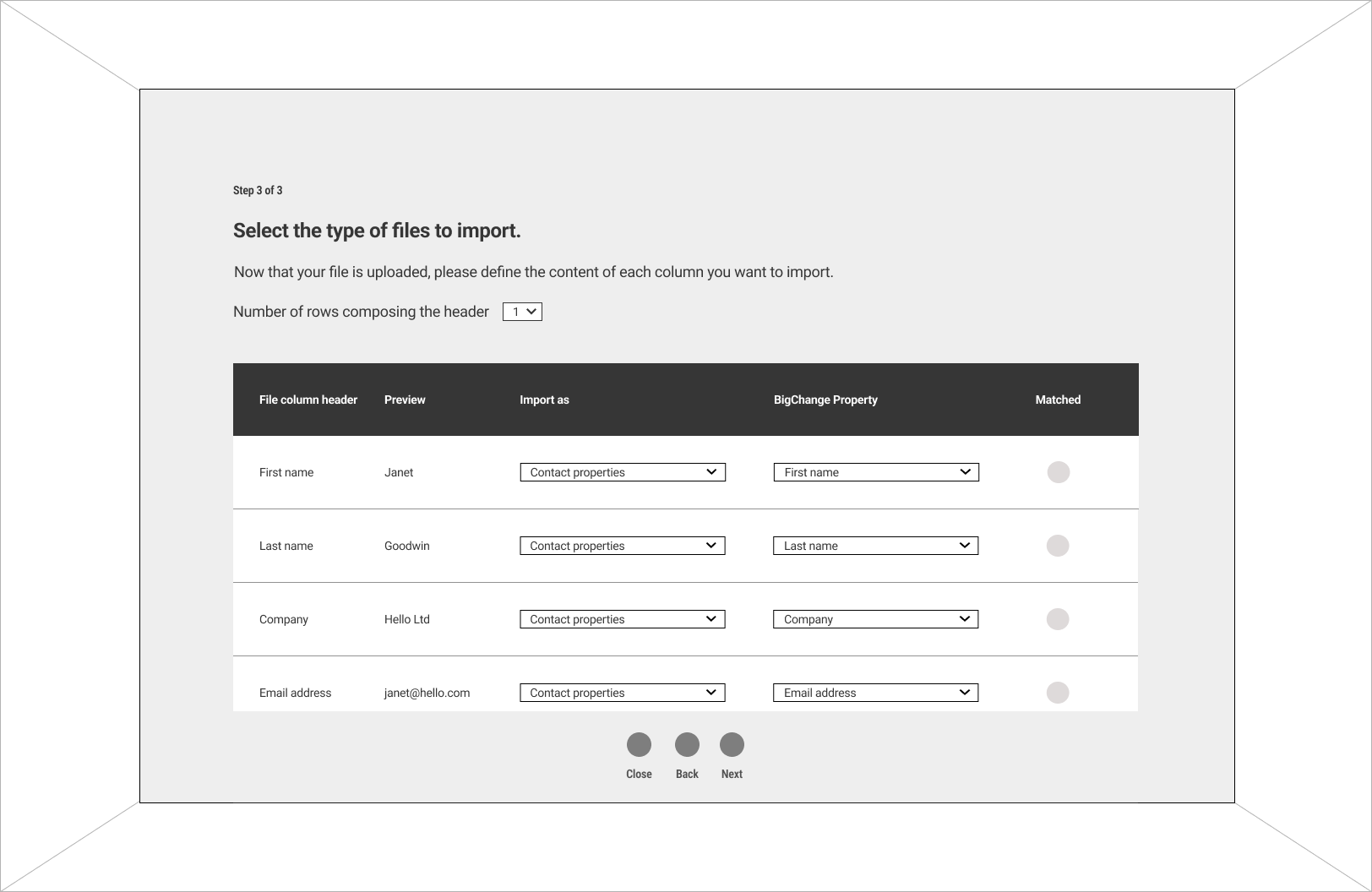
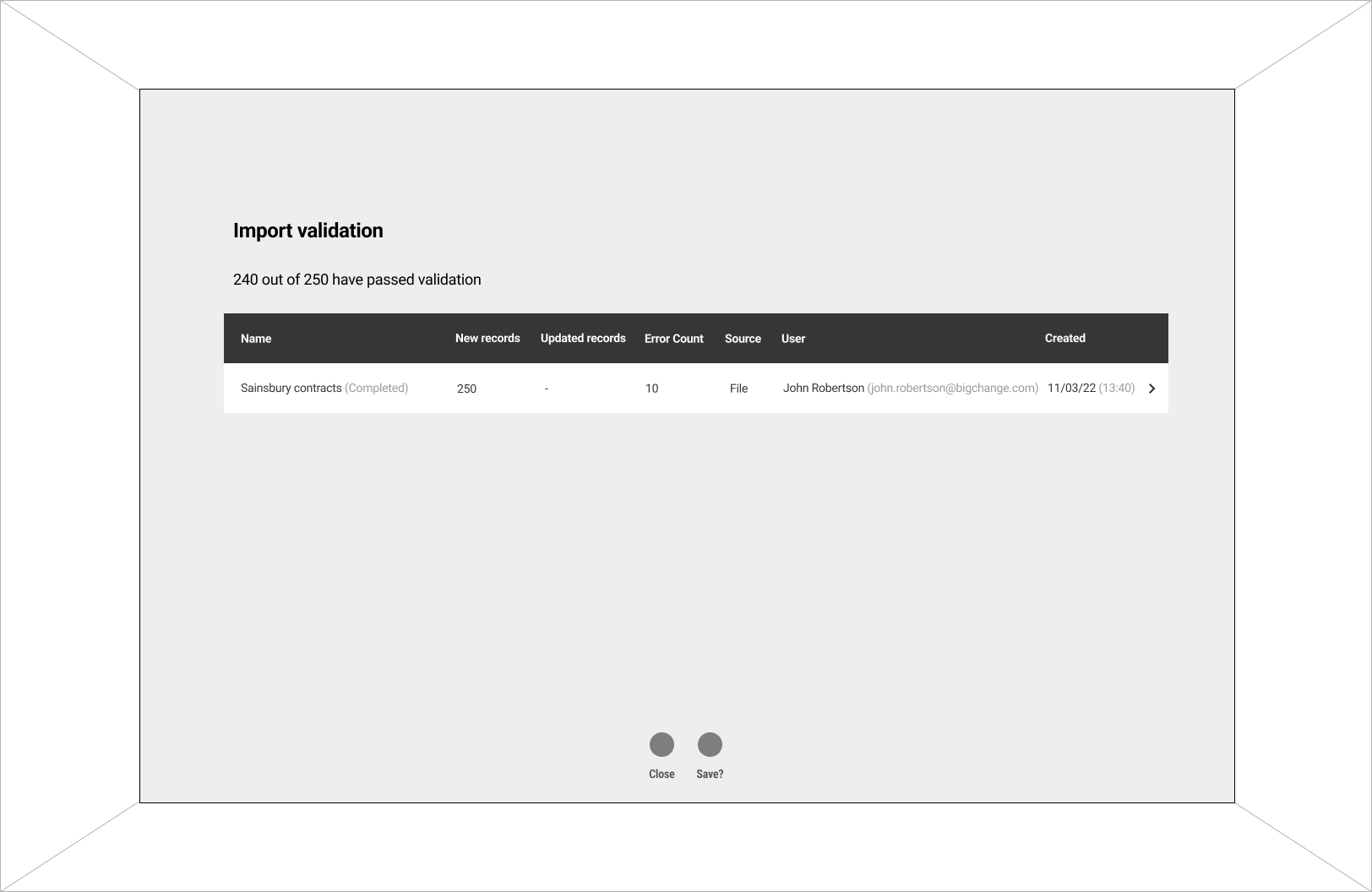
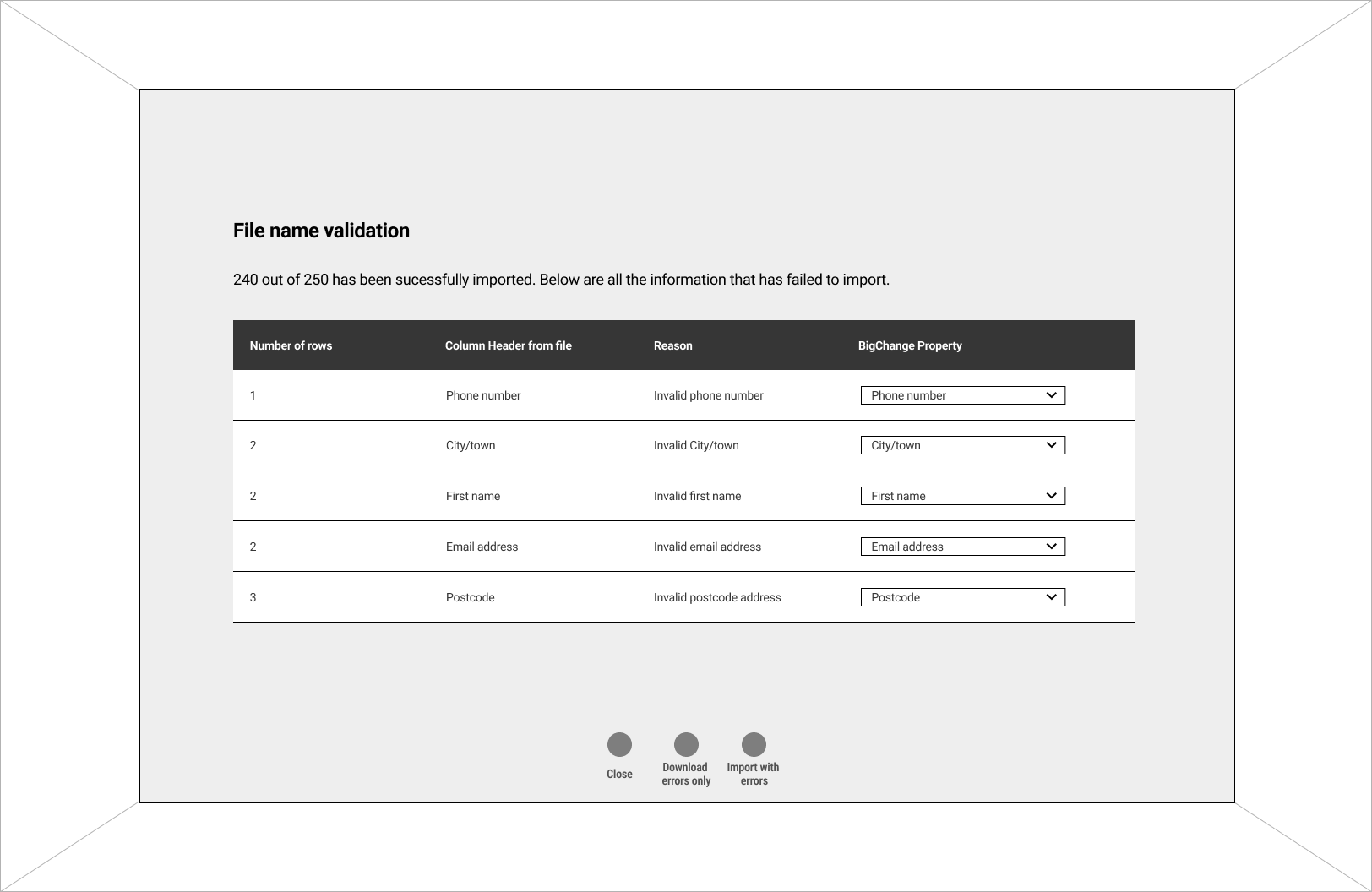
Design changed to better fit the current UI design system.
No stacked text because the system does not support it.
Removed progressed bar as the current system does not utilise it anywhere else on the platform
Finalising the design
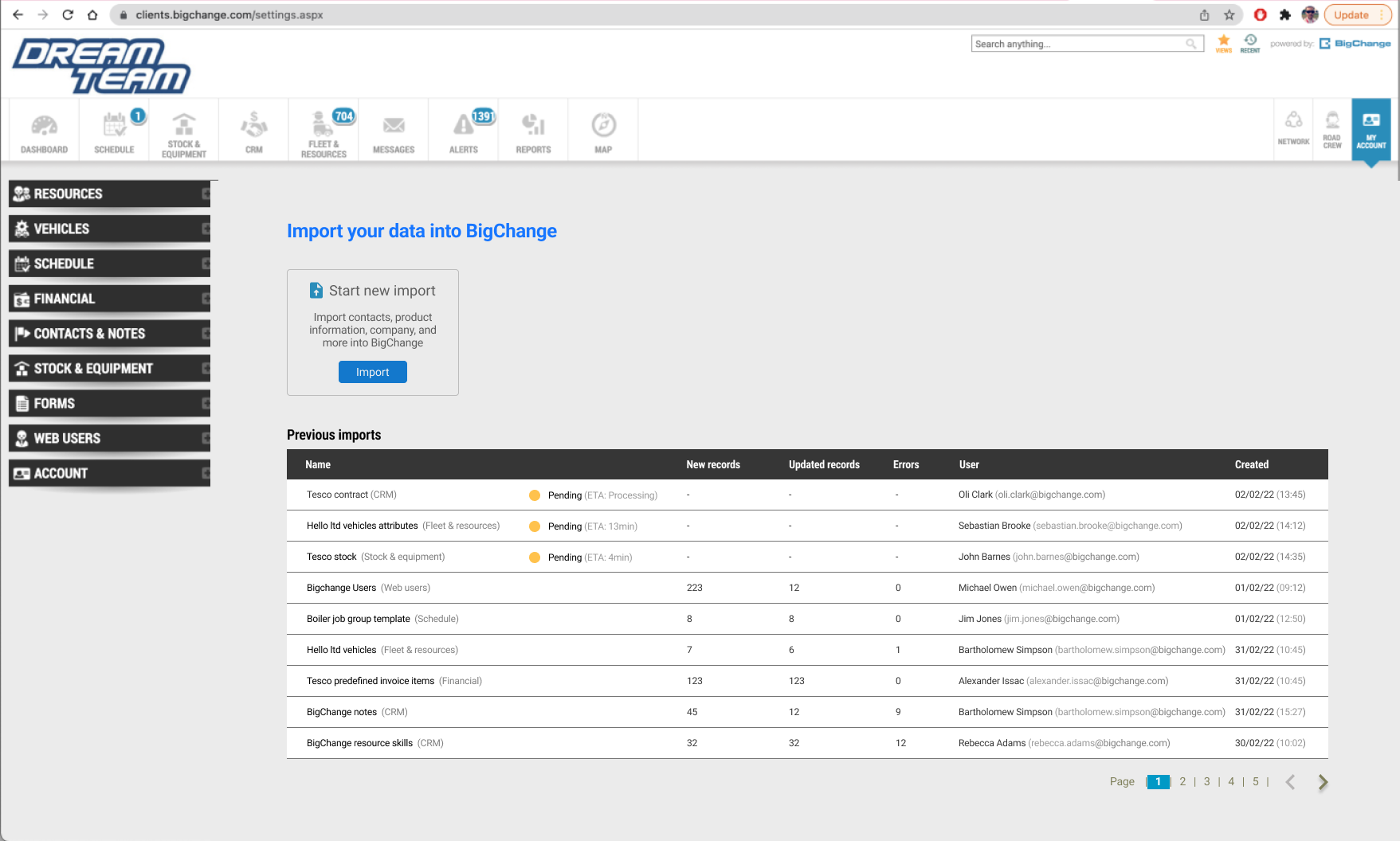
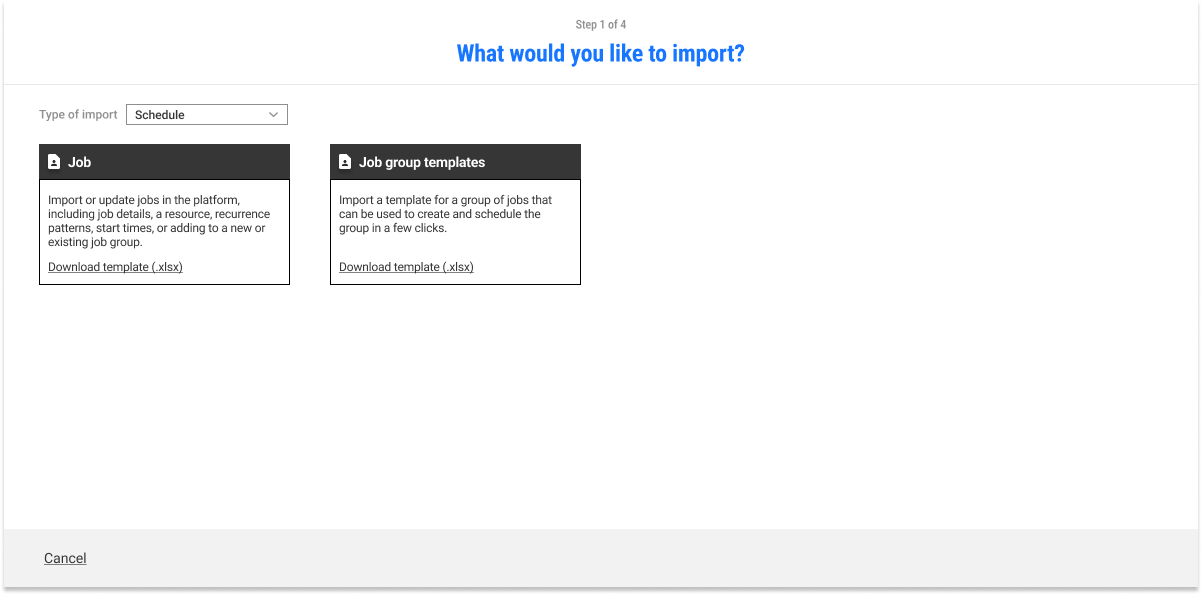
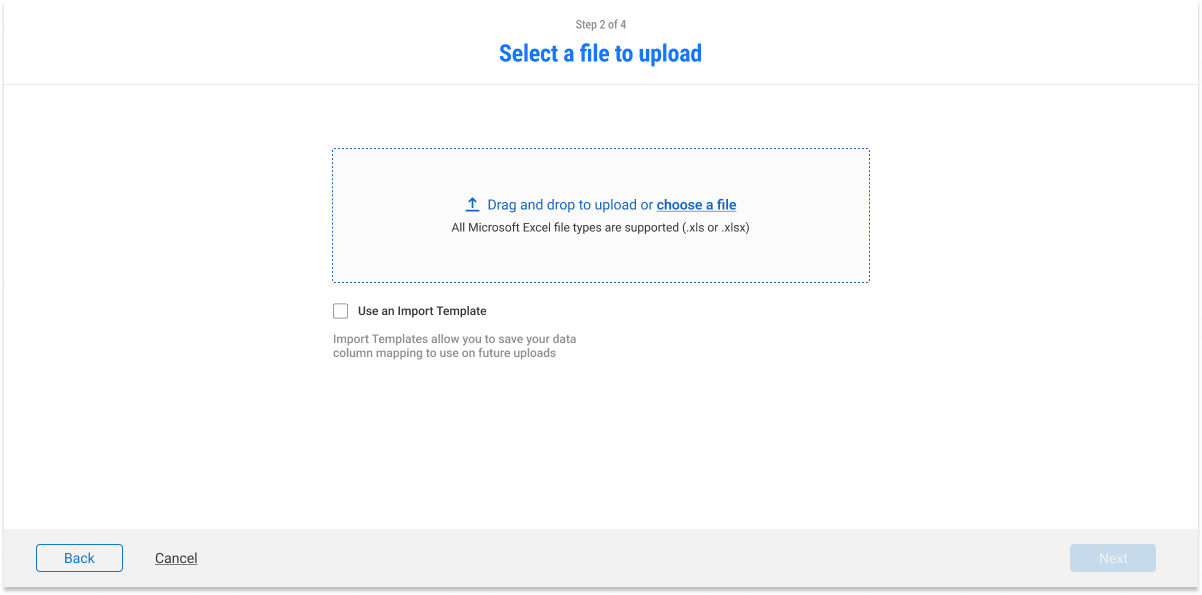
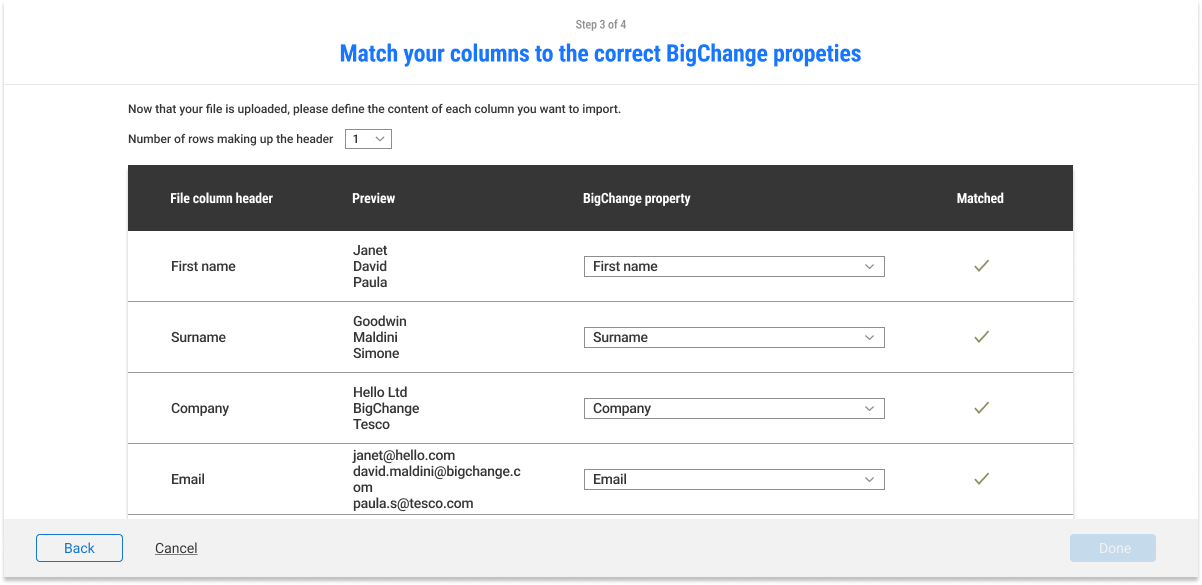
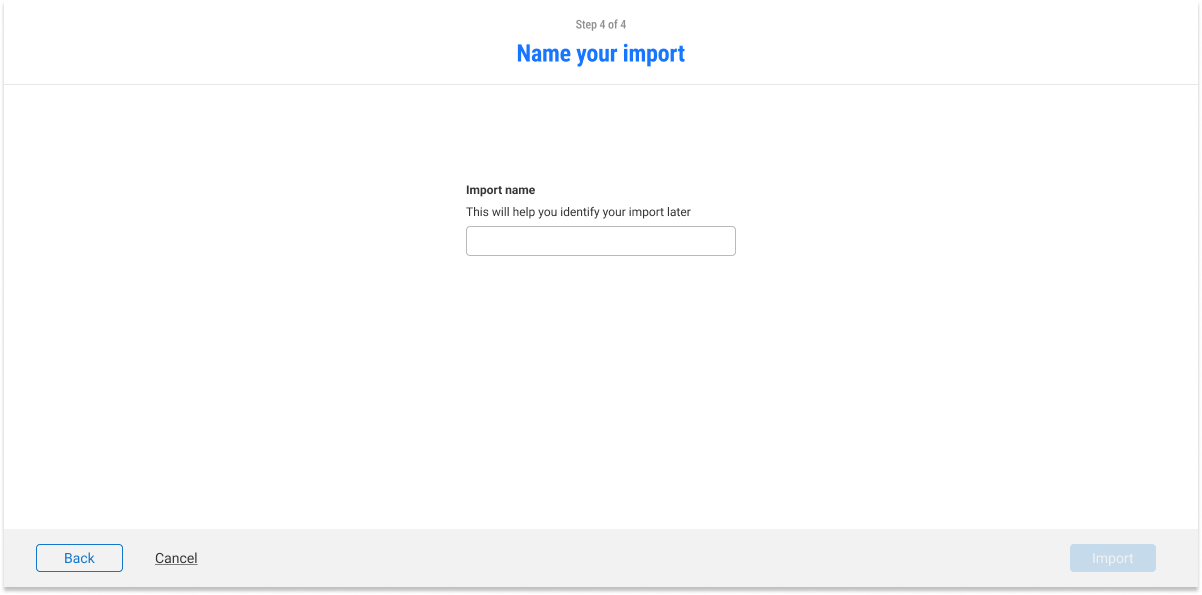
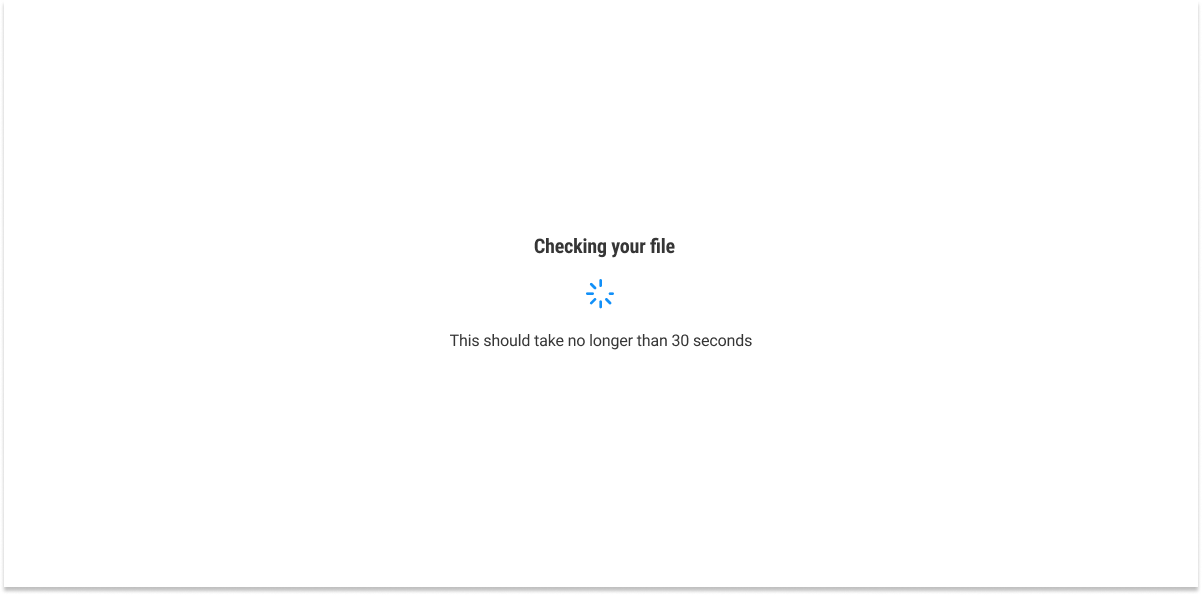
The finalised design of the Import Hub would be the north star design that we would iterate towards to as it is able to communicate our vision towards the redesign of the product. It retains the familiar brand image of BigChange while revamping through utilisting modern UI design elements and techinques.
Center aligned to create an instant impact for users.
The borders of drag and drop being dotted to help guide users.
Better usage of iconography to indiciate if contents are matching correctly or not.
‘Name your import’ to help identify the import later.
Spinner page included for load times.
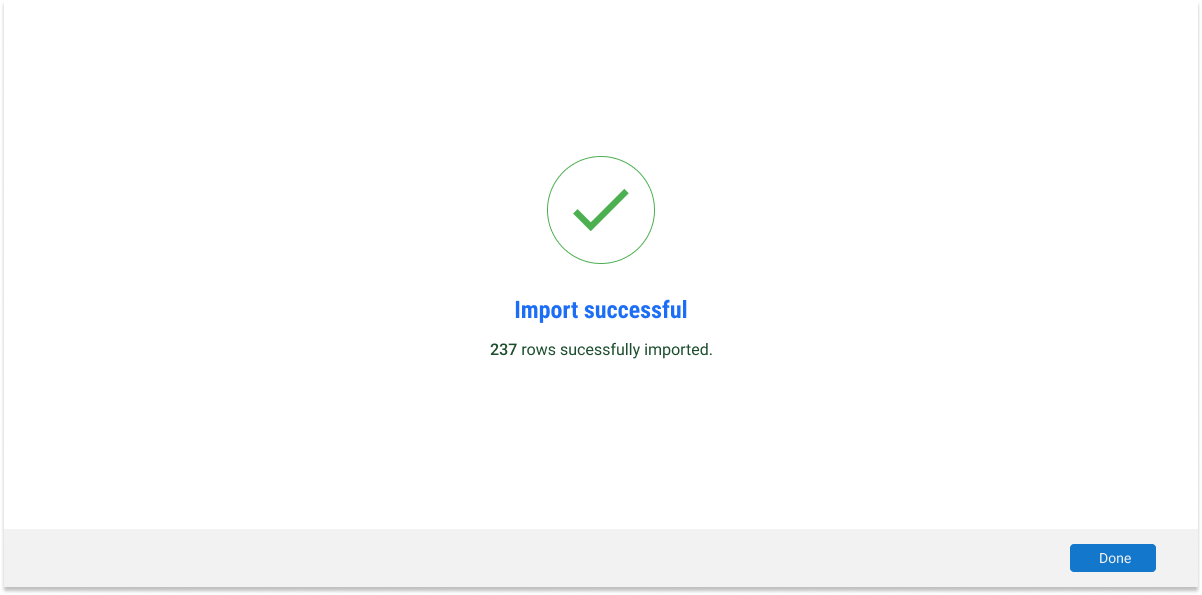
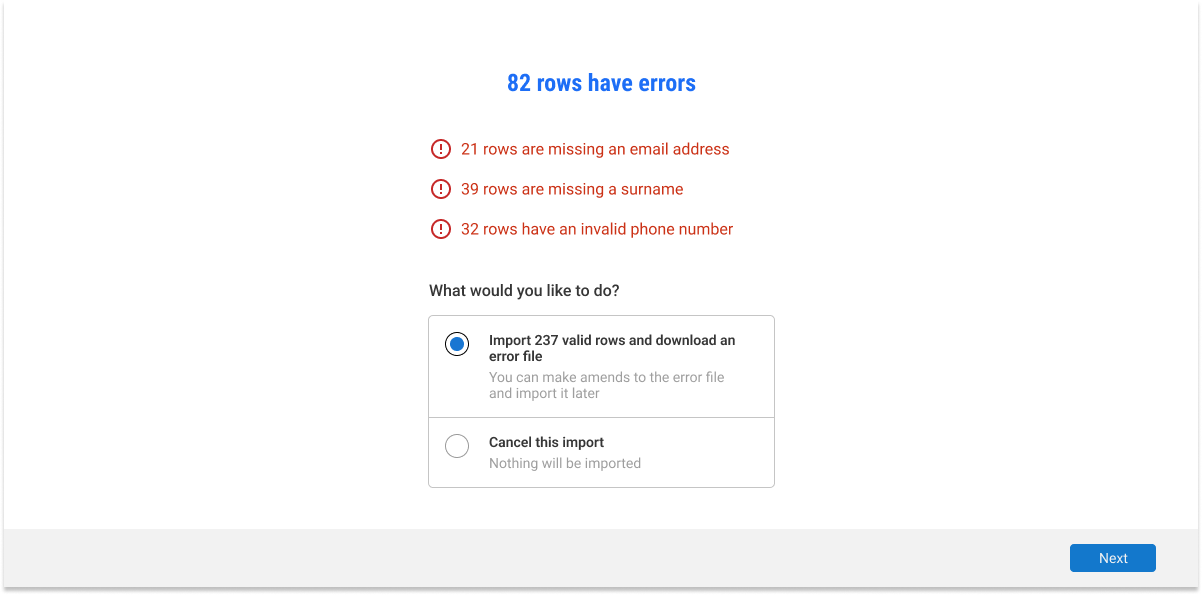
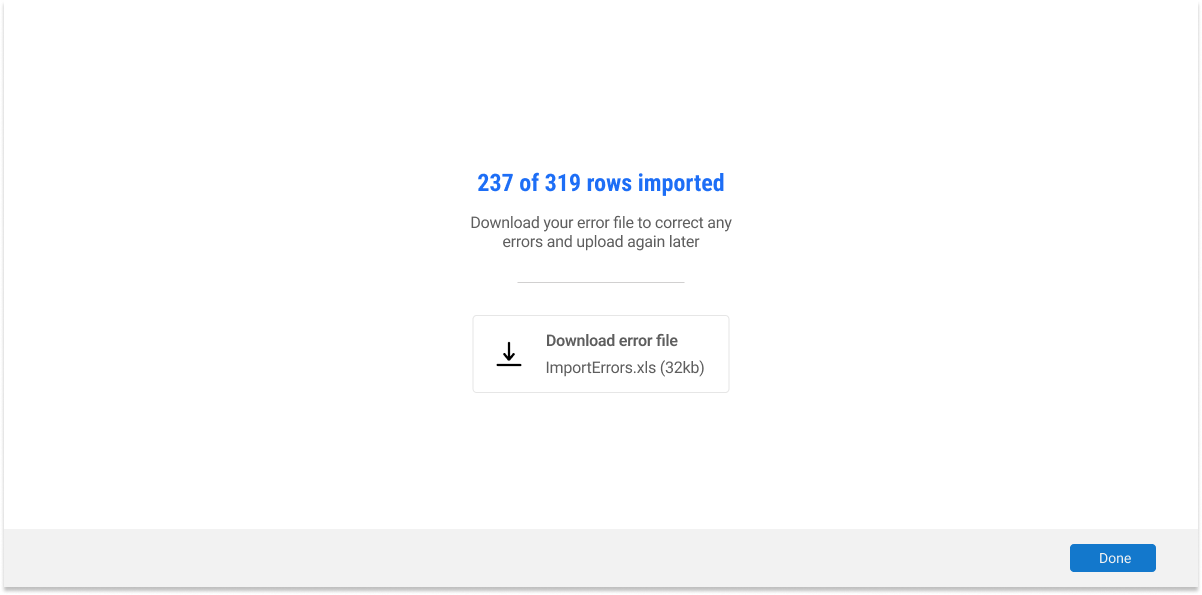
Included results page instead of verification page. This elimiates the amount of information inside verifcation page of previous iteration. It is now replaced with a much easier to digest summary of the results of the import. This includes successful import and imported with errors. Users also now has the option to download the file with just the errors to repload it again.
First time user import
We also included a page for first time users, the MVP of this project as it gave first time users the most value. The feature helps first time users know which information are essisential for first time data imports. This elimates the hassle of going through specifics and removes the required knowledge to know which types of imports are needed for them to start using the platform. Thus, hugely removing the time on tasks for users.
MVP
〰️
MVP 〰️
Conclusion
The Import Hub is now in beta and is one of the newest feature to be put on the site! The feature was met with positive feedback from customers and employees alike. The methodology of determinding the success of this feature would be using measurements such as, number of imports/exports per month and proportion of those numbers being successfull vs failures.